

Most mobile OCR tools fail when you need them most. They trade accuracy for intrusive ads. They compromise your privacy for cloud storage. Inaccurate results frustrate. Complex menus delay. Finding a high-performance free ocr app android shouldn't feel like a security risk. You need speed. You need precision. You've likely struggled with cluttered interfaces that bury essential features under layers of menus. It's time for a professional solution.
This article reveals how to transform physical documents into editable text with absolute accuracy. You'll learn to bypass the typical pitfalls of mobile scanning and achieve professional-grade results instantly. We'll explore tools that offer rapid extraction, secure PIN protection, and clean PDF outputs. Discover the top performers for 2026 that respect your data and your time. Your workflow starts here. Scan. Extract. Succeed.
Key Takeaways
- Understand how OCR turns pixels into text. Stop typing manually and start digitizing instantly.
- Evaluate the best free ocr app android based on precision. High accuracy saves time while errors create more work.
- Secure your sensitive files with PIN-protected privacy. Ensure your data stays on your device rather than a cloud server.
- Professionalize your output with smart edge detection. Create clean, high-quality PDFs and add e-signatures with ease.
What is OCR and Why Do You Need It on Android?
Optical Character Recognition, or OCR, acts as a digital architect for your documents. It transforms static pixels into dynamic, editable text. You capture a photo. The software identifies shapes. It converts those shapes into characters. This process eliminates manual typing entirely. It saves hours of tedious data entry every week. Your Android device becomes a high-speed data processor. Capture. Convert. Edit. The mobile workflow is now that simple.
Finding a reliable free ocr app android is essential for modern productivity. Professionals use it for complex contracts. Students use it for handwritten study notes. Small business owners use it for inventory receipts. Using a high-quality free ocr app android means your data stays secure while your output remains professional. It turns your smartphone into a portable, high-performance office. You don't just take a photo; you extract actionable value. Physical documents become searchable digital assets in seconds. This seamless transition from physical to digital states ensures you never lose critical information during busy workdays.
The evolution of mobile text extraction in 2026
Mobile text extraction has reached peak efficiency this year. In 2026, AI-driven accuracy is the absolute standard. Modern tools handle complex layouts with ease. They recognize columns, tables, and diverse fonts without hesitation. Recognition is now instant. There's no more waiting for slow cloud processing or external server responses. Everything happens locally on your device for maximum speed. This performance is matched by robust multi-language support. Global documents yield local results. You get professional-grade output regardless of the document's origin. High-performance results are finally effortless.
How to Choose the Best Free OCR App
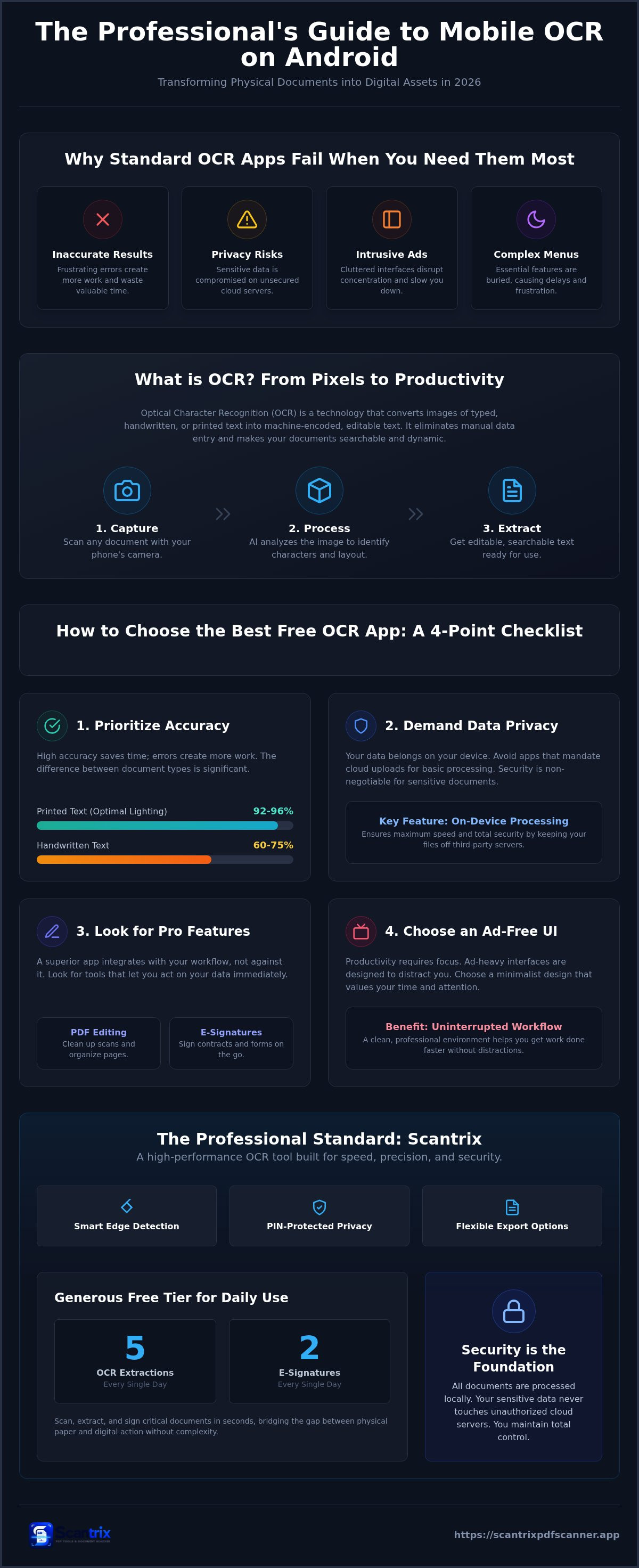
Efficiency is the primary metric. Don't settle for mediocre tools. Accuracy remains paramount. Verified research shows high-quality mobile OCR reaches 92-96% accuracy for printed text under optimal lighting. Handwritten text accuracy is lower, typically between 60-75%. Errors necessitate manual correction. This wastes valuable time. When evaluating best OCR software options, prioritize privacy above all else. Your data belongs on your device. Avoid apps that mandate cloud uploads for basic processing. Secure your sensitive documents. Local processing ensures speed and safety.
A superior free ocr app android integrates seamlessly with your existing professional tools. Look for built-in PDF editing and e-signature capabilities. Productivity demands absolute focus. Ad-heavy interfaces disrupt your concentration and slow your device. Choose a minimalist design that values your time and attention. Professional results require a professional environment. Transform your phone into a workstation. If you have questions about optimizing your specific workflow, contact our experts for technical support.
Key technical features for professional output
Clean input guarantees clean output. Automatic edge detection removes background noise and shadows instantly. It identifies document boundaries without manual intervention. High-resolution capture is non-negotiable. Better image data leads to precise character recognition. Finally, demand total export flexibility. Move extracted text to PDF, Word, or TXT formats immediately. This versatility ensures your free ocr app android supports every stage of your digital workflow. Capture once. Use everywhere. Refine. Repeat.
Scantrix: The Professional Standard for Mobile OCR
Scantrix defines the modern standard for text extraction. It is a professional-grade free ocr app android built for absolute speed. The design is minimalist. The output is maximum. You shouldn't waste time on cluttered, ad-heavy interfaces that disrupt your concentration. Scantrix handles the heavy lifting through smart edge detection and high-accuracy processing. You focus on the work. It operates as a silent, high-performance assistant for your most demanding daily tasks.
The app utilizes advanced Optical Character Recognition (OCR) to convert images into text with surgical precision. It's built to scale with your productivity needs. The free tier offers immediate utility. It provides five OCR extractions and two e-signatures every single day. This allows you to scan, extract, and sign critical contracts in seconds. It bridges the gap between physical paper and digital action without unnecessary complexity. It is the logical upgrade for users who value high-performance results.
Secure and streamlined document management
Privacy is the core foundation of this tool. Scantrix processes all documents locally on your device. Your sensitive data never touches unauthorized cloud servers. Use PIN-protected privacy to secure legal documents and personal records directly on your Android phone. This creates a secure vault for your digital life. It's reliable. It's direct. It's no-nonsense. You maintain total control over your information at all times.
Seamless cloud synchronization ensures your extracted text remains accessible whenever you need it. The mobile experience is defined by zero friction. A problem meets an immediate solution. There's no slow build-up. You get rapid results that mirror the efficiency of a professional office. Transform images. Secure files. Sync data. This free ocr app android delivers a refined, organized result every time you open it. Capture the data. Finish the job. Move on.
Optimize Your Mobile Workflow Today
Professional text extraction is a productivity requirement. You've seen how high-speed OCR transforms static images into actionable data. Choosing the right free ocr app android means prioritizing accuracy over empty features. Secure your documents with PIN-protected privacy. Ensure every capture remains perfect with professional edge detection. Speed. Precision. Security. These are the markers of a superior digital tool. Don't let inaccurate tools slow your progress. Scantrix delivers high-performance results for your most demanding tasks. It simplifies complex workflows into effortless steps. Start your journey toward a paperless, efficient future right now. Your most productive day begins with the right software.
Ready to experience the professional standard? Download Scantrix for Android and start scanning today. Your most efficient workflow is just one tap away.
Frequently Asked Questions
Is there a completely free OCR app for Android without ads?
Most free tools utilize ads to sustain operations. Scantrix offers a robust free tier with daily extraction limits. You can unlock 24-hour premium access by viewing two short ads. This provides a professional, ad-free environment for critical tasks. High-performance tools require investment. Scantrix balances immediate utility with a path to ad-free productivity. It remains the most efficient free ocr app android available today.
How accurate is mobile OCR for handwritten notes in 2026?
Handwritten recognition accuracy typically ranges between 60% and 75% in 2026. Printed text remains superior with rates reaching 96% under optimal lighting. Results depend on capture quality. Use smart edge detection to ensure a clean input. High-resolution photos lead to better extraction results. Scantrix utilizes advanced AI to process complex scripts. It handles the heavy lifting so you spend less time correcting errors.
Can I convert a scanned image directly to a searchable PDF?
Scantrix converts images to searchable PDFs instantly. The software identifies text during the capture phase. It creates a digital layer that allows for keyword searching within the document. This transformation happens on your device. You can export these files to local storage or preferred cloud services. It is a streamlined solution for document management. One tap creates a professional, searchable asset. Capture. Convert. Succeed.
How do I secure my scanned documents with a password?
Enable PIN-protected privacy within the app settings to secure your files. This feature locks sensitive documents behind a secure code. You don't need external encryption software. Scantrix processes all data locally on your Android device. This prevents unauthorized access and keeps data off external servers. It is the professional standard for mobile document security. Protect your legal documents. Secure your privacy. Maintain total control.


