

Manual document cropping is a relic. It is slow. It is imprecise. It kills your momentum. You know the frustration of fighting with blurry edges and perspective distortion. Dragging corners on a glass screen shouldn't be your job. It wastes time you don't have. Shadows and warped angles shouldn't ruin your professional documents. You need speed. You need precision. You deserve a tool that works as hard as you do.
Mastering an auto crop scanner app android transforms your mobile device into a high-performance assistant. You gain instant edge detection. You get professional-grade results every time. This 2026 productivity guide covers the essential tools and techniques for modern document management. We'll explore smart edge detection, high-resolution PDF exports, and seamless digital workflows from scan to signature. Turn raw photos into professional assets instantly. Stop dragging corners. Start scanning with intelligence. Your workflow deserves this upgrade.
Key Takeaways
- Eliminate manual adjustments. Learn how real-time border identification transforms raw captures into professional, rectified documents.
- Optimize capture quality. Use high-contrast backgrounds and consistent lighting to perfect your auto crop scanner app android results.
- Enhance data precision. Understand why clean cropping is the foundation for high-accuracy OCR text extraction and searchable files.
- Accelerate your workflow. Combine multi-page scanning with integrated e-signature tools to finalize and secure reports in seconds.
Smart Edge Detection: Why Manual Cropping is Obsolete
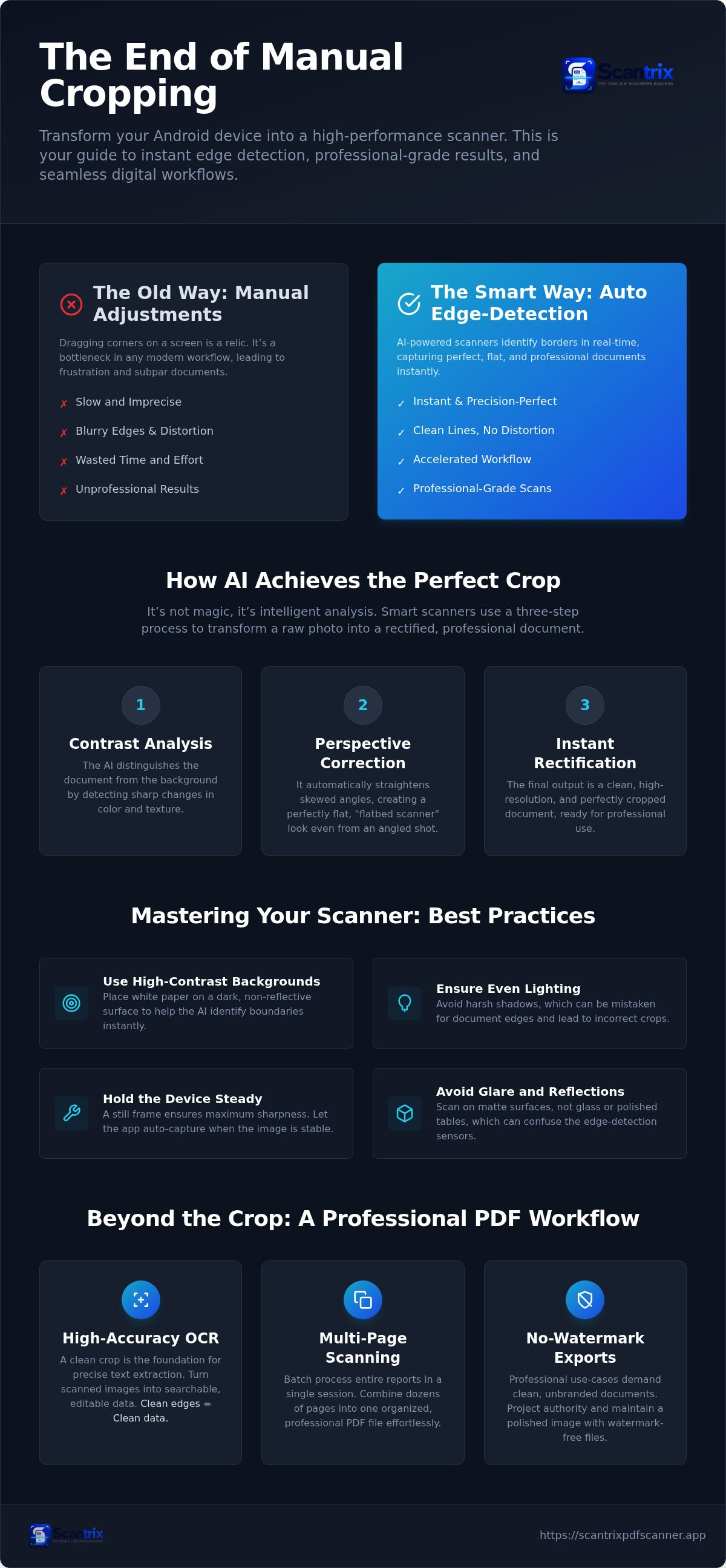
Manual cropping is a productivity killer. It demands focus on corners rather than content. Modern workflows require speed. Smart Edge Detection solves this by identifying borders in real-time. It eliminates the need for manual adjustments. You point the camera. The software finds the paper. It captures the shot instantly. This technology is the core of a high-performance auto crop scanner app android. It turns your phone into a precision tool.
The transition from a raw image to a rectified document is a technical transformation. A standard photo captures depth, shadows, and skewed angles. A rectified document is flat, clear, and professional. Scantrix leverages professional-grade border detection to automate this shift. It ensures every scan looks like it came from a flatbed hardware device. Understanding how image scanners work helps illustrate this digital evolution from physical hardware to mobile software. The Scantrix PDF Scanner App simplifies this complexity into effortless steps.
How AI Identifies Document Borders
AI doesn't just guess. It performs contrast analysis to distinguish the document from the background surface. It looks for sharp changes in color and texture. Perspective correction then straightens angled shots. This creates a perfectly flat PDF look even if you scan at an angle. Smart Edge Detection is the core of mobile scanning. Scantrix refines this process for Android users. It provides a seamless "edit-to-scan" workflow. You save time. You avoid errors. You get clean, high-resolution results every time. It transforms raw photos into professional assets instantly.
Mastering the Auto Crop Scanner App on Android
High-performance scanning requires optimal conditions. Select a high-contrast background to assist the software. Dark surfaces work best for white paper. This allows the auto crop scanner app android algorithm to identify boundaries instantly. Contrast is the engine of speed. Avoid cluttered desks. Clear the space. A clean surface ensures the scanner sees the document, not the background noise. This simple step prevents boundary confusion and saves seconds on every page.
Lighting is the next critical factor. Ensure even illumination across the page. Harsh shadows create artificial edges that look like paper borders. These errors force manual corrections and kill your momentum. Hold the device steady for a few seconds. Scantrix waits for a still frame to trigger the automatic capture sequence of your auto crop scanner app android. Stability ensures professional sharpness. No blur. No retakes. Always review the auto-detected edges before finalizing the PDF conversion. It is a quick validation step for total accuracy. If the edges need a slight tweak, do it before the file is rendered. This ensures a clean, professional output every time.
Best Practices for High-Contrast Captures
Surface selection dictates scan quality. Avoid glass or polished tables. Glare confuses edge sensors and creates ghost borders that ruin the crop. Position the document directly at the center of the viewfinder. This provides the AI with the best perspective for detection. You can find more tips on Scantrix Home for the latest Android scanning updates. If you want to optimize your mobile office setup, focus on these environmental basics first. Small adjustments in your physical space lead to massive gains in digital productivity. Scan fast. Stay precise.
Beyond the Crop: Building a Professional PDF Workflow
A clean crop is the foundation of digital accuracy. It is essential for high-accuracy OCR text extraction. Without sharp borders, character recognition engines struggle with background noise. This results in data errors. Precise edge detection ensures the engine focuses only on relevant text. This is a critical advantage of a professional auto crop scanner app android. It transforms a simple image into a searchable, editable asset. Clean edges mean clean data. High-performance professionals don't settle for less. They demand precision.
Modern efficiency requires batch processing. Digitizing entire reports in one session is now the standard. Multi-page scanning allows you to capture dozens of pages into a single, organized PDF file. Professional use cases demand no-watermark exports. Clean files project authority. Watermarks distract. They signal amateur tools. High-performance users need unbranded documents for client-facing work. Consult this Smart Scanning Guide to master these advanced configurations. Your workflow should be seamless. It should be polished. It must be efficient.
Extracting Text and Securing Scans with Scantrix
Scantrix bridges the gap between capture and utility. Convert cropped images to searchable text using integrated OCR tools instantly. It is fast. It is reliable. It works. Security is the final step in any professional auto crop scanner app android workflow. Protect sensitive digitized files with PIN-protected privacy settings. This ensures your data remains confidential on your Android device. For more on data safety, check this App to Lock PDF Files resource. Scantrix secures your digital architecture. It turns your phone into a secure, high-tech vault. You stay in control of your data.
Elevate Your Mobile Productivity Today
Manual cropping is finished. It wastes time. It invites error. You now understand how smart edge detection identifies borders instantly to create professional, rectified PDFs. High-contrast backgrounds and even lighting ensure your auto crop scanner app android performs with technical precision. These environmental adjustments unlock massive gains in digital speed. Clean edges lead to high-accuracy OCR results. Your workflow becomes a systematic engine of efficiency. It's time to stop fighting with manual corners and blurry edges.
Scantrix simplifies this transition. You get instant smart edge detection and secure PIN protection for every sensitive file. There are no watermarks on free scans. This keeps your output professional. It keeps your data secure. Take control of your digital architecture now. Download Scantrix PDF Scanner for Android to begin. Build a faster, more reliable, and completely seamless mobile office today. High-performance results are just one scan away.
Frequently Asked Questions
Is there a free auto crop scanner app for Android without watermarks?
Yes. Scantrix is a free auto crop scanner app android that provides professional results without watermarks on free scans. It captures documents and exports clean PDFs immediately. This ensures your files look professional for business use cases. You get high-performance utility without hidden branding. It is available worldwide on Google Play for all Android users.
How does automatic edge detection work in scanning apps?
Automatic edge detection utilizes real-time contrast analysis to distinguish paper from background surfaces. The software identifies the four corners of a document instantly. It then applies perspective correction to straighten skewed angles. This results in a flat, rectified image that resembles a hardware scan. It eliminates the manual effort of dragging corners. Speed meets precision in every capture.
Can I edit the crop manually if the app misses the edge?
Yes. Smart edge detection is highly accurate, but you retain total control. You can review the auto-detected borders before finalizing any conversion. If the algorithm misses a corner due to low contrast, simply drag the handles to the correct position. This edit-to-scan workflow ensures your PDFs are always perfect. You get automation when it works and manual precision when needed.
Does auto-cropping improve OCR text extraction accuracy?
Yes. Precise cropping is essential for OCR success. Removing background clutter allows the text extraction engine to focus solely on the document content. This reduces character recognition errors caused by shadows or desk textures. A clean crop results in searchable, high-accuracy digital assets. Scantrix integrates this seamless transition from a physical page to a professional digital file with ease.


