

Why are you still manually dragging crop corners in 2026? It's a waste of time. You need a scan, not a photography project. An auto edge detection pdf scanner eliminates the need for manual adjustments. We agree that struggling with distorted perspectives and low-quality images is frustrating. It's slow. It's unnecessary. It's a barrier to productivity.
This guide shows you how modern technology transforms your smartphone into a high-precision tool for crisp, top-down scans. Learn to eliminate manual editing and secure your professional-grade digital filing instantly. We'll explore the latest AI-driven technology, compare the top Android tools for 2026, and show you how to automate your workflow for a seamless, paperless future.
Key Takeaways
- Master boundary detection. Learn how computer vision identifies document borders through instant contrast analysis.
- Deploy an auto edge detection pdf scanner. Eliminate manual cropping and accelerate your digital workflow.
- Standardize your files. Maintain uniform document dimensions across multi-page scans for professional output.
- Improve capture quality. Use high-contrast backgrounds and natural lighting to prevent edge distortion.
The Technology of Smart Boundaries: What is Auto Edge Detection?
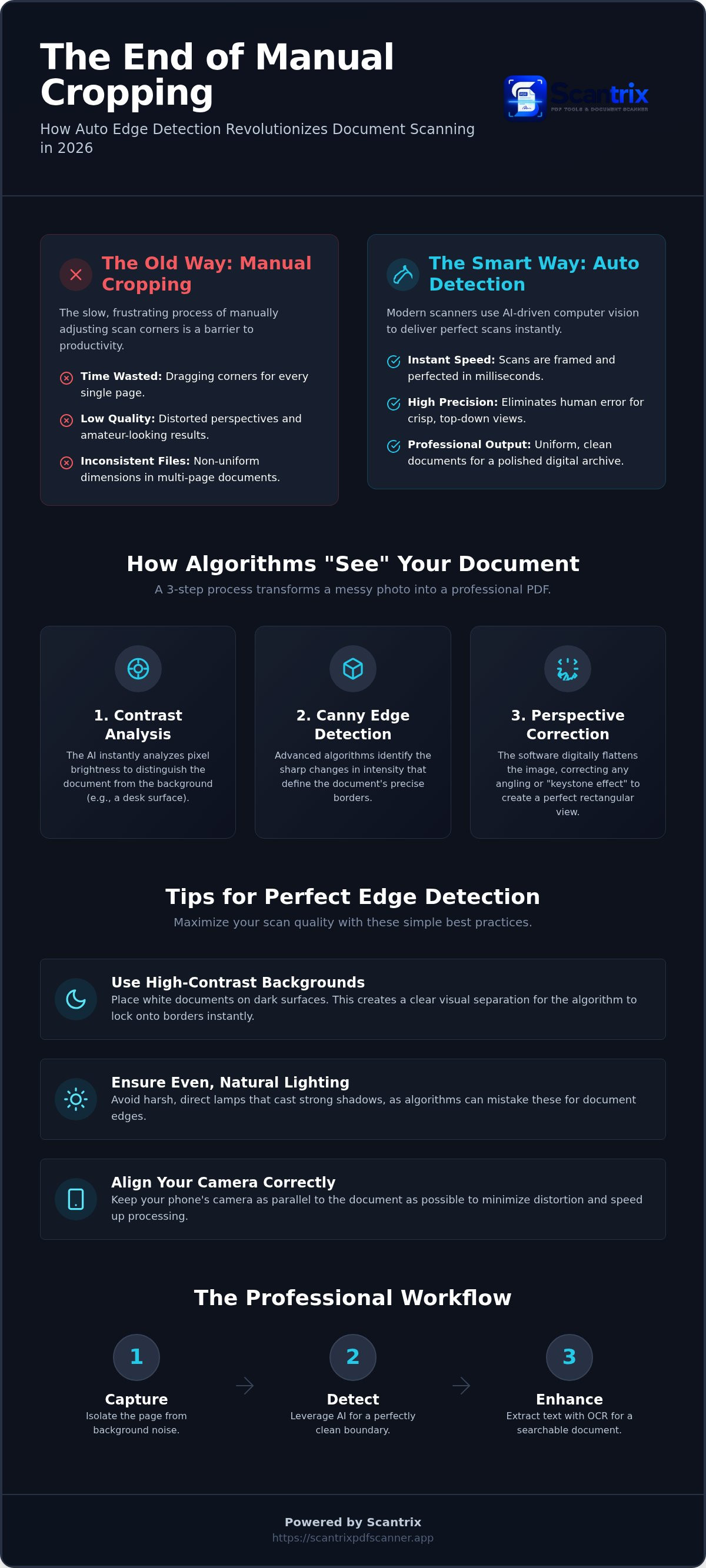
Auto edge detection uses computer vision to identify document borders instantly. It's a fundamental shift from static photography to intelligent data capture. An auto edge detection pdf scanner doesn't just take a picture; it understands the physical limits of the page. Algorithms analyze the contrast between the paper and the background surface. This process separates the relevant document from environmental noise like desk textures or shadows.
Scantrix utilizes these smart layers to isolate your data. The result is immediate, accurate framing without human intervention. By automating this step, the software ensures professional results in milliseconds. You get a clean scan every time. No manual cropping required. It's about speed and precision. Every scan starts with a perfect border.
How Algorithms "See" Your Documents
The transition from raw pixels to mathematical contours is where precision happens. Edge detection identifies boundaries by scanning for sudden changes in pixel brightness. These contours form the blueprint for the final file. Scantrix applies these calculations to ensure the digital output matches the physical original. This eliminates the amateur photo-look.
Curved pages or angled shots often ruin standard photos. Smart scanners solve this through Perspective Transformation. This process flattens the document digitally, correcting distortions for a perfect top-down view. Canny Edge Detection identifies sharp intensity changes to locate borders. Using an auto edge detection pdf scanner like Scantrix automates this geometry. It transforms messy desk shots into professional PDFs.
Why Automation Beats Manual Cropping: Efficiency and Precision
Manual cropping is a productivity killer. It's slow. It's imprecise. Every manual adjustment introduces human error. An auto edge detection pdf scanner solves this by automating the boundary search. It guarantees uniform dimensions across complex, multi-page reports. This creates a cohesive file structure. Professional results require this consistency. Without it, your digital archive looks disorganized and amateur.
Smart cropping does more than find edges. It purges distractions. Algorithms identify and remove desk surfaces, stray shadows, or fingers holding the page. This is essential for Fast and Accurate Document Detection in high-speed environments. You get the content. You lose the noise. High-performance tools prioritize this clean output. They turn a messy desk into a digital office instantly.
Beyond Borders: Rectification and Perspective Correction
Rectification is the technical standard for professional scans. It warps an angled capture into a perfect rectangle. This process corrects the "keystone effect" where the top of a page looks wider than the bottom. Using an auto edge detection pdf scanner ensures a flat, readable PDF every time. This precision is critical when you need to sign PDF documents on your phone. An e-signature must sit on a level plane to look authentic. Distorted pages make signatures look forged or unprofessional. Manual results look like casual photos. Automated results look like official records. Perspective correction removes the guesswork. It saves seconds on every page. Those seconds accumulate into hours of recovered productivity. If you need help optimizing your Android workflow, get in touch with us for expert guidance.
Maximizing Scan Quality: Tips for Perfect Edge Detection
High contrast is the primary success factor for any auto edge detection pdf scanner. Place white documents on dark surfaces. This visual separation allows the software to lock onto boundaries instantly. Even, natural lighting is equally vital. Avoid harsh, direct lamps that cast deep shadows. Algorithms often mistake these dark lines for document edges, leading to inaccurate crops and wasted time.
Camera alignment dictates final quality. Keep the lens parallel to the document surface. Extreme angles force the computer vision algorithm to perform heavy rectification. While smart tools like Scantrix handle this correction, minimizing initial warping speeds up the process. A steady, level capture ensures the sharpest focus and the most accurate perspective transformation.
The Scantrix Professional Workflow
Capture. Detect. Enhance. These three steps define the professional standard for digital filing. An auto edge detection pdf scanner initiates the process by isolating the page from background noise. Once you have a clean boundary, leverage OCR text extraction to convert the image into editable, searchable text. Precise edge detection ensures the OCR engine reads every character without distortion.
Organization is the final stage of productivity. You must organize scanned documents immediately to maintain a clear workflow. Scantrix streamlines this transition from physical paper to a structured digital archive. By following these environmental tips, you maximize the speed and accuracy of every scan. Efficiency is the result of smart software meeting an optimized environment.
Maximize Your Professional Productivity
Precision is no longer a luxury. It's a professional standard. An auto edge detection pdf scanner removes the friction from daily document management. You eliminate manual cropping errors. You achieve consistent, high-precision results across every multi-page report. This technology bridges the gap between a casual smartphone photo and a high-grade digital record. It's about speed. It's about accuracy.
Scantrix delivers this performance without compromise. You get clean scans with no watermarks. Built-in OCR technology extracts your data instantly. PIN-protected privacy secures your most sensitive documents from unauthorized access. It's a complete, minimalist toolkit for the modern Android professional. Stop wasting time on manual edits. Start producing crisp, top-down PDFs that reflect your professional standards.
Download Scantrix for Android and start scanning smarter today. Experience the speed of automated boundaries. Your paperless office is ready.
Frequently Asked Questions
How does auto edge detection work in a PDF scanner app?
The technology uses computer vision algorithms to scan for high contrast. It identifies the boundary between the paper and the background surface. The app calculates the mathematical contours of the sheet and isolates the document from environmental noise. This process ensures your auto edge detection pdf scanner provides a clean, top-down view every time you capture a page.
Why is my scanner app not detecting the edges of my document?
Low contrast is the most common culprit. Ensure your document sits on a dark, non-reflective surface. Harsh shadows or glare also confuse the detection engine. If the background matches the paper color, the algorithm fails to find the border. Clear the area of clutter like pens or fingers. Good lighting and high contrast are essential for reliable recognition.
Can I manually adjust the edges if the auto-detection is off?
Yes. Scantrix provides a manual override for precision control. If the automation misses a corner due to extreme glare or low contrast, you can drag the boundary points yourself. This flexibility ensures you never lose a scan. Use the zoom loupe for pixel-perfect adjustments. It's a reliable fallback for difficult environments where the auto edge detection pdf scanner needs human assistance.
Does auto edge detection work for multi-page documents?
Absolutely. Scantrix supports seamless multi-page scanning. The app detects edges for every individual sheet in a sequence. This automation maintains consistent document dimensions across the entire file. You can scan an entire report without stopping to crop each page manually. It creates a professional, uniform digital record in seconds. Productivity increases with every page you add to the batch.
Is auto edge detection available in the free Scantrix app?
Yes. Automatic edge detection is a core feature included in the free version of Scantrix. We believe professional scanning starts with smart boundaries. You don't need a premium subscription to access this productivity driver. Download the app on Android to experience instant framing and perspective correction. It's the standard tool for users who value high-performance results and professional-grade output without unnecessary costs.


