

Your office desk shouldn't be a paper graveyard. Physical clutter kills focus; it creates mental friction. You likely worry about losing critical documents or exposing sensitive data to the wrong eyes. Selecting a professional digital filing cabinet app android is the only way to solve this chaos. Generic camera apps aren't the answer. They produce blurry, unprofessional results that fail when you need them most. You deserve a system that works as hard as you do.
It's time for a high-performance upgrade. We'll show you how to replace messy stacks with a searchable digital archive for a paperless 2026. This guide explores the latest scanning technology that delivers desktop-quality PDFs. You'll also learn how to secure sensitive files with bank-level protection. We'll focus on tools that offer smart edge detection and OCR extraction. Let's build your digital architecture now.
Key Takeaways
- Eliminate physical clutter. Adopt a mobile-first workflow to ensure instant document retrieval from any location.
- Select a professional digital filing cabinet app android. Achieve high-resolution scans and organized multi-page PDFs using advanced smartphone technology.
- Prioritize data security. Implement bank-level privacy with PIN-protected folders to safeguard sensitive business information.
- Boost operational efficiency. Leverage OCR text extraction and integrated e-signature tools to process documents in seconds.
Why Your Android Phone is the Ultimate Digital Filing Cabinet
Physical filing cabinets are relics. They consume floor space. They hide information. By 2026, mobile-first management is the professional standard. Your smartphone is always accessible. It's powerful. It's precise. Transitioning to a digital filing cabinet app android eliminates physical clutter immediately. You gain instant retrieval. No more manual sorting. Digital search identifies specific keywords across your entire archive in seconds. This saves hours of administrative overhead every month.
Eliminating paper stacks does more than clear a desk. It optimizes your environment. Digital systems support the Paperless office, reducing your environmental footprint while boosting productivity. Consider these benefits:
- Zero physical footprint: Reclaim office square footage for high-value tasks.
- Immediate access: Retrieve critical contracts during meetings or transit.
- Seamless organization: Categorize files automatically upon capture.
Moving Beyond Simple File Storage
Basic storage is passive. It's a digital box. A true digital filing cabinet is an active productivity hub. Generic cloud storage often fails because it lacks a dedicated capture interface. You don't just need a place to put files; you need a way to create them. High-performance apps like Scantrix integrate the entire document lifecycle into one tool. It isn't just about holding data. It's about intelligent capture, text extraction, and secure processing. This shift toward integrated Android workflows ensures your data is always actionable, not just stored.
Essential Features for a High-Performance Mobile Filing System
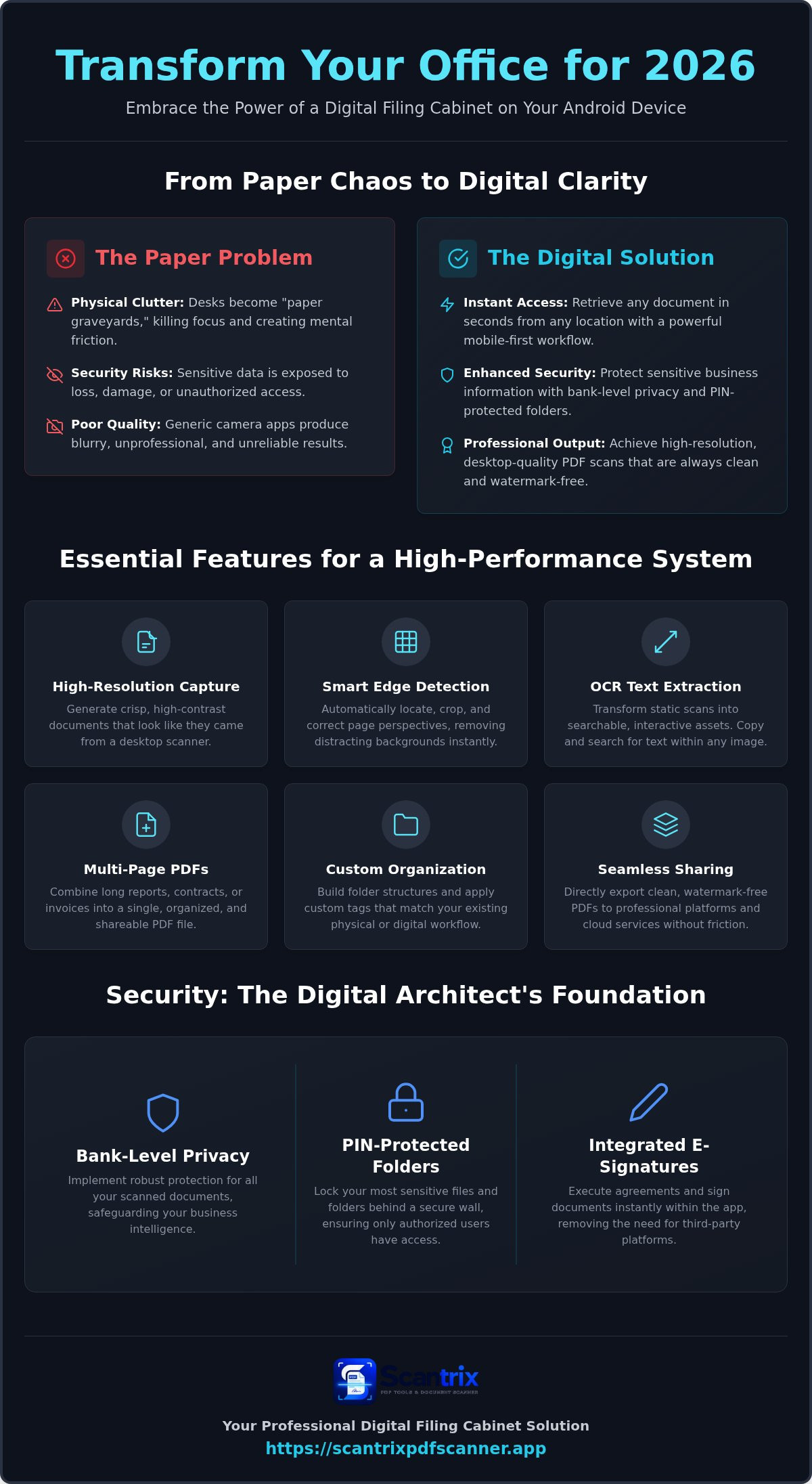
High performance requires precision. A generic camera fails. You need desktop-quality results on your smartphone camera. A professional digital filing cabinet app android delivers crisp, high-resolution capture. Multi-page support is mandatory for business. Long reports should become single, organized PDFs. Custom tagging enables fast retrieval. Build folder structures that match your existing physical workflow. Direct export to professional platforms ensures a clean, professional result. No watermarks. No friction. This is the 2026 standard for mobile efficiency and speed.
Mastering OCR and Automatic Document Capture
Capture is the first step. Smart edge detection locates the page instantly. It crops perfectly. It removes distracting background noise. Automatic contrast adjustment guarantees high legibility. This is critical for legal documents and contracts. Use OCR text extraction to transform static images into searchable data. Your archives become interactive assets. You can copy text instantly. You can search within scanned images. This technology turns a simple picture into a functional business document.
Security remains a paramount concern for mobile users. Professionals must consider the security and safety of your archived documents before selecting any platform. A dedicated system provides the minimalist architect’s touch to your daily workflow. It bridges the gap between raw data and organized business intelligence. It empowers you to work faster. It protects your privacy. If you need a custom solution for your organization, reach out to our experts to discuss your specific document management needs.
Securing Your Digital Assets with Scantrix PDF Scanner
Scantrix acts as the minimalist architect of your mobile workspace. It streamlines the transition from physical paper to a professional digital state. While other tools focus on simple storage, this digital filing cabinet app android manages the entire document lifecycle. Capture. Convert. Secure. The interface is built for speed. It eliminates friction. It prioritizes professional execution over decorative fluff. Every step is logical. Every action is immediate.
Professional E-Signatures and PIN-Protected Privacy
Security is a requirement. Execute agreements instantly using the built-in e-signature tool. This removes the need for third-party signing platforms. It keeps your workflow unified. Protect your assets. Lock sensitive files behind a secure wall with a dedicated app to lock PDF files. Scantrix provides PIN-protected privacy folders. Only authorized users access confidential data. Your business intelligence stays private.
Professionalism requires high-quality output. Scantrix delivers clean, high-contrast documents without watermarks. It provides an ad-free environment for focused productivity. Every scan looks like a desktop-grade PDF. This reliability builds trust. By 2026, your digital filing cabinet app android must do more than hold files. It must defend them. It must refine them. It must move at the speed of modern commerce. Efficiency meets security. Results follow action.
Build Your Professional Digital Archive Today
The paperless transition is no longer optional. It's a requirement for 2026 efficiency. You've learned how a high-performance digital filing cabinet app android transforms raw scans into actionable business intelligence. Physical clutter is gone. Instant retrieval is the new standard. By integrating tools like automatic edge detection and built-in OCR, you ensure every document meets professional standards. Security shouldn't be an afterthought. Protect your confidential files with PIN-protected folder privacy and execute agreements instantly with integrated professional e-signatures. You now have the blueprint for a streamlined, mobile-first workspace. Stop managing paper; start managing data. Take the final step toward a clutter-free office. Upgrade Your Professional Workflow with Scantrix today. Your future productivity depends on the systems you build now.
Frequently Asked Questions
What is the best digital filing cabinet app for Android in 2026?
Scantrix PDF Scanner is the premier choice. It integrates high-resolution capture with advanced document management. Users leverage smart edge detection and OCR extraction for professional results. It acts as a comprehensive digital filing cabinet app android. The interface prioritizes speed. It replaces bulky desktop hardware with mobile precision. Efficiency meets reliability in this streamlined workflow solution.
How do I scan multiple pages into one PDF on my Android phone?
Launch your scanner app and activate the multi-page capture mode. Frame each page with your camera. The software identifies edges and crops automatically. Continue this sequence for all required pages. The system then compiles these images into a single, high-contrast PDF. This keeps long reports unified. It's the most efficient method for digitizing complex physical archives.
Is it safe to store sensitive tax documents in a mobile scanner app?
Storing tax documents is safe when using apps with PIN-protected privacy. Scantrix secures sensitive data behind a local security wall. This prevents unauthorized viewing. Professionals should avoid generic cloud storage that lacks document-specific encryption. Dedicated tools ensure your records stay private. Security is the foundation of any high-performance digital filing cabinet app android.
Can I extract text from a scanned document using my Android camera?
You can extract text immediately through built-in OCR technology. Position your camera over the document. Capture a crisp image. The app processes the characters and converts them into searchable, editable text. You can then copy the data into professional platforms. It saves time. It prevents manual entry mistakes. Scantrix performs this extraction on-device for maximum speed.


