

A physical business card is a liability until it's digital. You collect a lead, tuck the card away, and lose the connection before you reach your office. Manual data entry is slow. Typing mistakes happen. It's an outdated, high-friction workflow. Deploying a professional business card scanner to contacts android solves these inefficiencies immediately. Capture data. Sync results. Move on.
We know the pain of blurry text and missing phone numbers. You deserve better than manual typing. This 2026 guide masters the dual-output workflow for the modern professional. You'll learn to archive cards as crisp, high-resolution PDFs while instantly extracting contact data to your Android device. We focus on smart edge detection, high-accuracy OCR, and PIN-protected privacy. Turn paper into assets. Secure your network. Build a digital archive that works as hard as you do.
Key Takeaways
- Adopt a dual-output workflow. Archive high-resolution PDFs and extract contact data in one step.
- Deploy a business card scanner to contacts android. Use OCR technology to eliminate typing errors and save time.
- Organize your network. Categorize contacts by event or priority to maintain a systematic, paperless database.
- Secure professional data. Utilize PIN-protected folders to ensure your digitized lists remain private.
The Dual-Output Workflow: Archiving Business Cards as PDFs
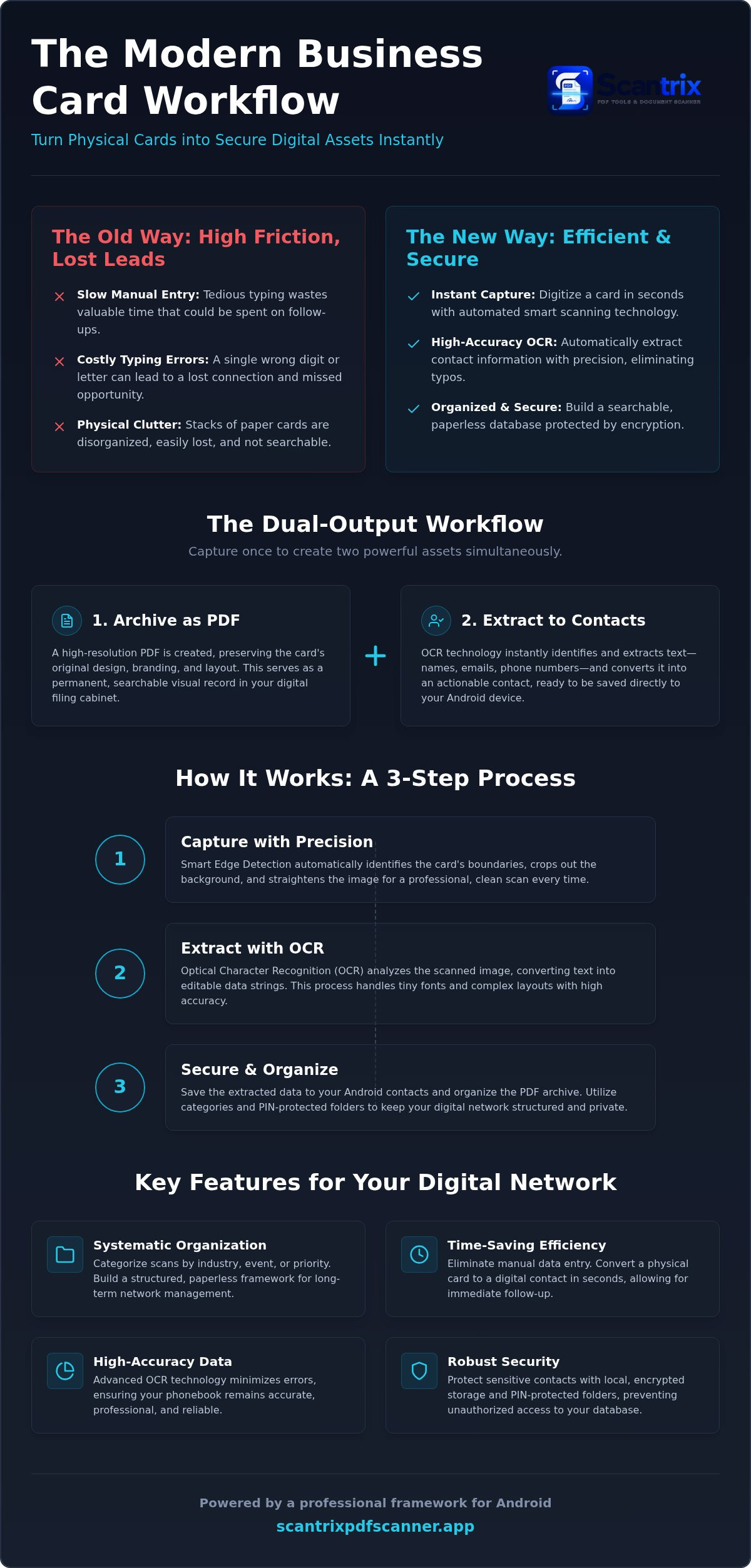
Professional networking requires more than a simple phonebook entry. It demands a visual record. Most tools focus solely on data extraction, but a superior business card scanner to contacts android captures the entire card as a high-resolution PDF. This preserves professional branding. Logos, colors, and layouts remain intact for future reference. You create a permanent digital filing cabinet. Physical clutter disappears. Professionalism stays. Digital archives allow for instant retrieval. You can search by company name or visual style. This systematic approach ensures no lead is forgotten.
The workflow starts with high-fidelity image capture. This visual backup serves as your source of truth. If data extraction needs verification, you reference the original card design. This process integrates Optical Character Recognition (OCR) technology to ensure the transition from paper to digital is seamless. You gain a searchable, organized database without the bulk of physical storage. By using a professional business card scanner to contacts android, you bridge the gap between networking and organization.
Precision Capture with Smart Edge Detection
Speed is essential during networking events. To ensure accuracy, align the card within the viewfinder. Smart edge detection identifies the card boundaries immediately. It crops out background distractions and straightens the image automatically. This results in professional, centered scans every time. No manual editing. No wasted time. Just clean results. Capture the image. Extract the data. Store both.
Lighting and contrast determine scan quality. Learn how to get clear scans on Android for high-contrast results. Proper alignment ensures the software identifies every character. You get a perfect PDF archive. You get an instant contact. The system handles the complexity. You focus on the relationship. No messy edges. No manual adjustments. Just professional output.
Data Extraction: Converting Scanned Text into Android Contacts
Pixels must become data. High-resolution PDFs preserve the brand, but functional networking requires actionable text. An efficient business card scanner to contacts android utilizes Optical Character Recognition to bridge this gap. It identifies names, emails, and phone numbers instantly. This process transforms a static image into a functional digital string. You eliminate the risk of manual typos. You save minutes on every lead. Every scan becomes a live entry. Automated tools recognize tiny fonts. They handle complex layouts without hesitation. Efficiency is the goal. Accuracy is the result.
Data integrity is paramount. Automated recognition ensures your phonebook remains accurate and professional. When granting app permissions for these tasks, follow security and privacy best practices to protect your network. A secure environment prevents data leaks. Reliability matters. Speed matters. A streamlined extraction process ensures you can follow up with prospects before the connection cools. A clean database is a powerful asset. If you need assistance optimizing your digital workflow, reach out to our team.
Accuracy Check: Streamlining Data Entry with OCR
Execute the OCR tool on your scanned business card PDF. The software analyzes the document and highlights recognized text blocks. Copy these strings directly into your Android contact fields. This method provides a final layer of quality control. It ensures every character is correct. For deeper mechanics, learn how to copy text from a scanned document on Android. Keep your phonebook clean. High-accuracy extraction prevents lost opportunities.
Security and Organization for Your Digital Network
Digital storage is useless without structure. A professional business card scanner to contacts android provides the foundation for an organized network. Categorize your captures by industry, specific events, or follow-up priority. This systematic approach ensures you retrieve data when it matters. Move beyond simple contact entries. Implement a paperless framework for long-term network management. Use descriptive naming conventions for every PDF archive. Refer to our 2026 professional framework for business documents to optimize your folder hierarchy. Efficiency scales with organization. Clear structures prevent lost opportunities.
Data privacy is often overlooked in networking workflows. Many users store sensitive contact information in unsecured photo galleries or generic cloud folders. This exposure creates significant security risks of business card scanner apps that lack document-level encryption. Professional-grade tools mitigate these threats through local, encrypted storage. Secure your leads. Protect your partners. Reliability requires a proactive security stance. Don't leave your database vulnerable to unauthorized access. High-performance networking requires high-performance security.
Protecting Sensitive Contacts with PIN-Protected Privacy
Confidentiality is a non-negotiable requirement for executive networking. Set up a secure PIN for folders containing sensitive partner or client data. This ensures information remains private even if your device is shared or compromised. It bridges the gap between convenience and professional responsibility. Use a specialized app to lock PDF files on Android for maximum protection of your digitized archives. Secure the vault. Control the access. Maintain total authority over your professional data. Your network is your net worth. Lock it down. Eliminate the risk.
Master Your Professional Network
Professional networking in 2026 requires speed and precision. You've mastered the transition from physical cards to digital assets. Deploying a business card scanner to contacts android transforms your workflow instantly. It preserves high-resolution PDF archives. It extracts functional data. You eliminate manual errors. You save time. This dual-output strategy ensures your database is both visual and functional. Protect sensitive leads with PIN-protected security. Organize your growth. Achieve a streamlined, ad-free experience with integrated OCR technology. Don't let valuable connections fade into paper clutter. Your network is ready for the digital age. Start digitizing your network with Scantrix PDF Scanner and take control of your professional future today.
Frequently Asked Questions
How do I scan a business card and save it as a contact on Android?
Use a professional business card scanner to contacts android for the best results. Open the scanner app and align the card within the viewfinder. Smart edge detection handles the cropping automatically. Once captured, execute the OCR text extraction tool. Copy the identified name, phone number, and email address directly into your Android contact fields. It's a dual-output method that preserves a visual PDF.
Is there a free app to scan business cards to contacts in 2026?
Scantrix PDF Scanner is a free Android utility available on Google Play. It acts as a primary business card scanner to contacts android, offering smart edge detection and high-accuracy OCR. While the base app's free to download, users can access premium tiers for unlimited OCR processing and an ad-free experience. It's a reliable way to digitize your network without upfront costs while maintaining high-performance results.
Can I scan multiple business cards at once to a single PDF?
Yes. You can capture several cards in a single session to create a multi-page PDF archive. Use the batch mode to scan each card sequentially. The software applies edge detection to every capture. It'll ensure uniform quality throughout the document. This approach's ideal for organizing contacts by event or date. It streamlines your digital filing cabinet while keeping related networking leads secure.
How accurate is OCR for business card scanning on smartphones?
Modern OCR text extraction's highly precise for standard fonts and high-contrast designs. Success depends on lighting and alignment. Ensure the card's flat and well-lit to maximize character recognition. High-performance apps now accurately identify tiny 6-point fonts often found on professional cards. Always perform a quick accuracy check before saving. It'll eliminate minor errors from complex graphic layouts or stylized typography.


