

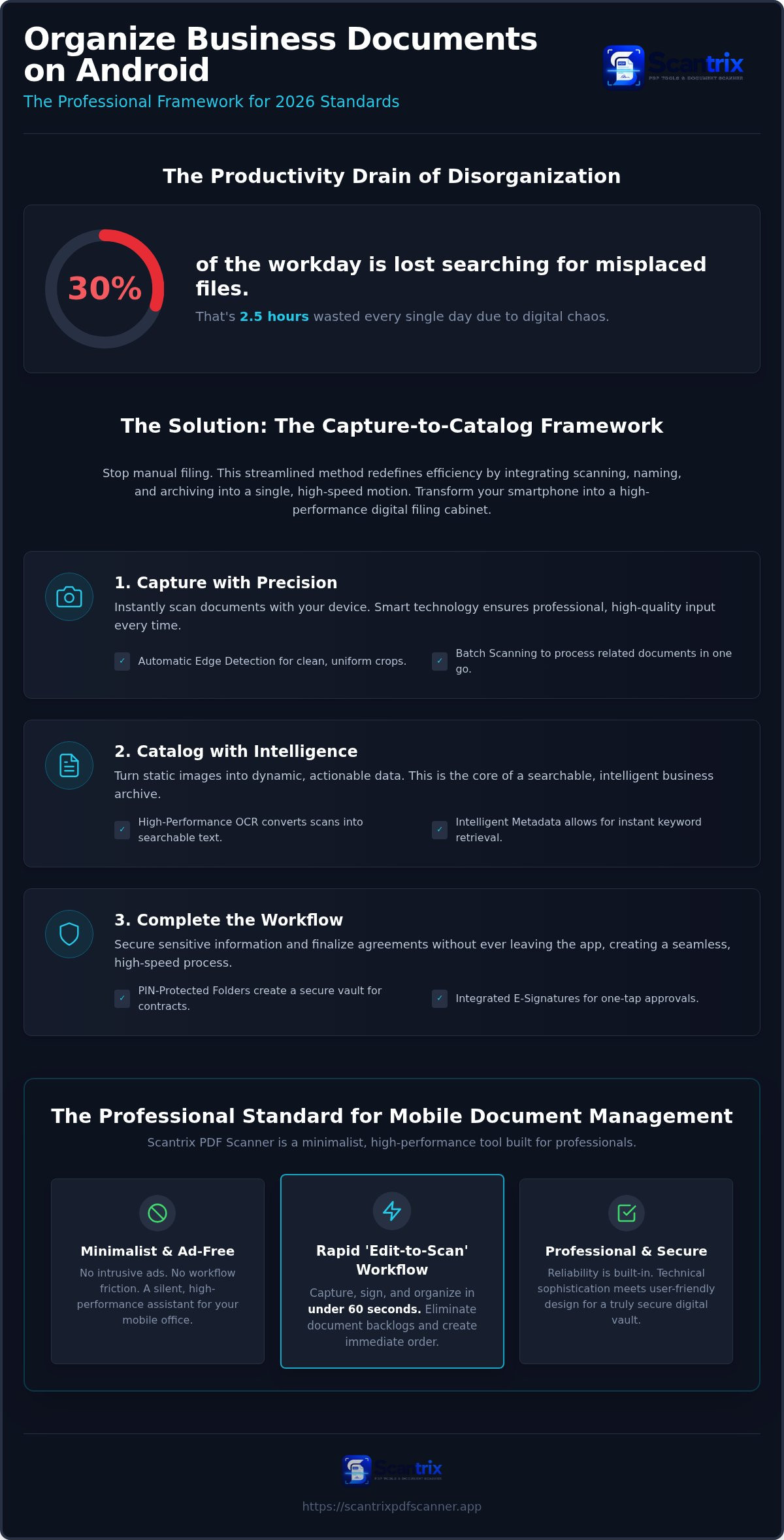
Knowledge workers lose 30% of their workday searching for misplaced files. That is two and a half hours wasted every single day. You likely struggle to organize business documents on android amid digital chaos and privacy risks. You need a faster way to retrieve critical contracts without dodging intrusive ads. It stops now.
This guide transforms your smartphone into a high-performance digital filing cabinet. We provide a streamlined framework built for 2026 standards. We prioritize speed and security. We eliminate manual filing. It is time to reclaim your productivity and secure your professional output.
We will cover the Capture-to-Catalog method for building a searchable PDF library. You will discover how to implement PIN-protected folders for sensitive contracts and utilize one-tap e-signatures. This framework ensures your mobile office remains ad-free, professional, and completely secure.
Key Takeaways
- Stop manual filing. Adopt the Capture-to-Catalog framework to scan, name, and archive in one staccato motion.
- Build searchable archives. Use professional OCR to turn static images into actionable and intelligent business data.
- Secure your vault. Learn to organize business documents on android using PIN-protected folders for sensitive contracts.
- Streamline your output. Capture, sign, and organize files in under 60 seconds with a minimalist, ad-free workflow.
The Capture-to-Catalog Method: Rethinking Business Document Organization
The Capture-to-Catalog method redefines efficiency. It is the process of scanning, naming, and filing in one staccato motion. Manual filing is a productivity trap. Scattered folders. Vague filenames. Lost hours. Fragmented focus. In 2026, professionals require immediate results. Don't wait to file. Capture once. Catalog instantly. This approach aligns with modern Enterprise content management (ECM) principles. It treats every scan as a structured asset. This is the core of The Rise of the Digital Filing Cabinet.
Automatic edge detection is critical. It ensures uniform output. It removes background clutter. Professional libraries require consistency. When you organize business documents on android, you need clean crops. Messy edges look amateur. Smart detection creates a standard. It prepares files for rapid retrieval. It automates the transition from physical paper to digital order. Speed meets precision. Clean files allow for faster indexing. Professionalism starts at the point of capture.
The Capture-First Strategy for Digital Order
Use batch scanning. Keep thematic documents together. Group receipts. Bundle contracts. Process everything in one session. This maintains momentum. Smart cropping eliminates background noise. It focuses on the data. High-resolution output is the priority. Clearer scans lead to better organization. They improve text recognition. Follow our guide on How to Get Clear Scans on Android to master this step. High-quality input equals high-quality archives. Secure your order.
Essential Features for Professional PDF Organization on Android
Professional organization requires more than storage. It demands intelligence. OCR (Optical Character Recognition) is the foundation of searchable business archives. It bridges the gap between a static image and actionable data. Without it, your files are invisible to search functions. To effectively organize business documents on android, you must ensure every scan is indexed and discoverable. High-performance tools prioritize this visibility.
Precision OCR and Intelligent Metadata Search
Don't settle for flat files. Flat PDFs are dead ends. They are mere pictures of paper. Searchable PDFs are dynamic. OCR extracts every word. It turns invoices and legal docs into searchable text. Instant retrieval. No manual scrolling. You can copy text from a scanned document for immediate use in emails or reports. This metadata makes your library intelligent. It saves time. It prevents errors. Precision matters. Speed follows.
Security is non-negotiable. A systematic approach to organize business documents on android involves more than just folders; it requires a secure vault. PIN-protected privacy locks sensitive data. It prevents unauthorized access to contracts or payroll records. Use a dedicated app to lock PDF files on android to maintain strict compliance. Privacy is the priority. Integrated e-signatures complete the document lifecycle. Sign instantly. Send immediately. No app switching. No friction. This creates a seamless, high-speed workflow. If you need help configuring your secure mobile office, contact our professional support team for expert guidance.
- OCR: Converts images to text. Enables keyword search.
- PIN-Protection: Secures sensitive contracts. Ensures privacy.
- E-Signatures: Finalizes agreements. Speeds up approvals.
Scantrix: The Professional Standard for Mobile Document Management
Scantrix PDF Scanner is the professional standard. It is a minimalist innovator. It rejects the bloat of standard enterprise apps. No intrusive ads. No workflow friction. This is how you organize business documents on android without distraction. It acts as a silent, high-performance assistant for your mobile office. Reliability is built-in. Technical sophistication meets user-friendly design.
The 'Edit-to-Scan' workflow delivers speed. Capture, sign, and organize in under 60 seconds. This rapid cycle eliminates document backlogs. It creates immediate order. Your smartphone becomes a high-performance digital filing cabinet. Efficiency is the only metric that matters. Start the process. Finish the task. Move to the next goal.
Seamless Workflow Integration from Scan to Signature
Contract management on the go requires agility. Built-in e-signature tools are essential for the modern professional. You can sign PDF documents on your phone instantly. The utilitarian interface focuses on rapid results. No decorative language. No unnecessary steps. It provides professional-grade output every time. It's built for speed.
Security is the foundation. On-device privacy keeps sensitive contracts safe. PIN protection ensures your vault remains yours. Scantrix PDF Scanner prioritizes your data integrity. It provides the security-first framework needed to organize business documents on android in 2026. Stop struggling with digital chaos. Don't settle for less. Contact Scantrix PDF Scanner for Professional Solutions to streamline your operations today.
Master Your Mobile Digital Archive
Efficiency is a choice. You now possess the strategic framework to organize business documents on android using the Capture-to-Catalog method. This system replaces manual filing with immediate action. It transforms your device into a high-performance digital filing cabinet. No more lost files. No more security gaps. Just clean, searchable data ready for instant retrieval.
Professional standards demand professional-grade tools. Scantrix provides Professional OCR Text Extraction and PIN-Protected Privacy Folders to secure your sensitive contracts. The Ad-Free Professional Interface ensures your focus remains on the task, not on distractions. It is the silent assistant your mobile office requires. Reliability meets technical sophistication. It's the standard for 2026.
Upgrade Your Mobile Workflow, Contact Scantrix Today. Reclaim your time and secure your digital legacy. Your high-performance professional future starts now.
Frequently Asked Questions
What is the best app to organize business documents on Android?
Scantrix is the professional standard. It combines smart edge detection with integrated OCR. This allows you to organize business documents on android with zero friction. It replaces bloated enterprise software with a minimalist, high-speed interface. It is built for the 2026 workplace. Efficiency is the priority. Results are immediate. Order is restored.
How do I make my scanned PDFs searchable on my phone?
Use integrated OCR text extraction to create searchable PDFs. This technology scans visual data and converts it into indexed text. It turns a static image into a dynamic document. You can then search for specific keywords like invoice numbers or client names. Scantrix automates this process during capture. High-speed retrieval starts with intelligent indexing.
Can I password-protect specific PDF folders on Android?
Yes, you can secure sensitive data using PIN-protected privacy folders. Professional organization requires a secure vault for contracts and payroll. Scantrix offers dedicated privacy features on-device. This ensures that only authorized users access critical business files. Security is the foundation of digital order. To organize business documents on android effectively, privacy must be your primary filter.
Is there a free Android scanner app without intrusive ads?
Scantrix provides a high-performance, ad-free professional interface. Most free apps disrupt workflows with intrusive pop-ups. This slows down document management. Scantrix prioritizes your time. It offers a clean environment for capturing and signing PDFs. Professional-grade output requires zero distractions. Experience speed without the noise of typical scanner applications. It's the minimalist solution for serious professionals.


