

Your smartphone is a professional-grade office suite. Most users treat it like a basic camera. It's actually a precision tool for digital records. Traditional hardware is now obsolete. You likely know the frustration of blurry edges and unsearchable images when figuring out how to scan documents without scanner. Stop settling for amateur snapshots. Professional results are now effortless.
We agree that manual cropping and security risks shouldn't stall your workflow. This guide shows you how to transform your Android device into a high-performance scanning tool. You'll learn to create crisp PDFs, extract searchable text via OCR, and secure sensitive files with PIN protection. We'll explore smart edge detection and instant e-signatures to streamline your digital transformation. Master the 2026 digital standard. Efficiency starts here. Results follow instantly.
Key Takeaways
- Professional apps flatten curved pages. Standard photos fail. Learn the perspective correction advantage.
- Master how to scan documents without scanner using automated edge detection. High-contrast frames ensure crisp results.
- Transform images into searchable data. OCR technology unlocks text for immediate editing and digital organization.
- Execute contracts instantly. Integrated e-signatures and PIN-protected privacy secure your professional digital workflow.
Mobile Scanning vs. Photos: Why Professional Apps Matter
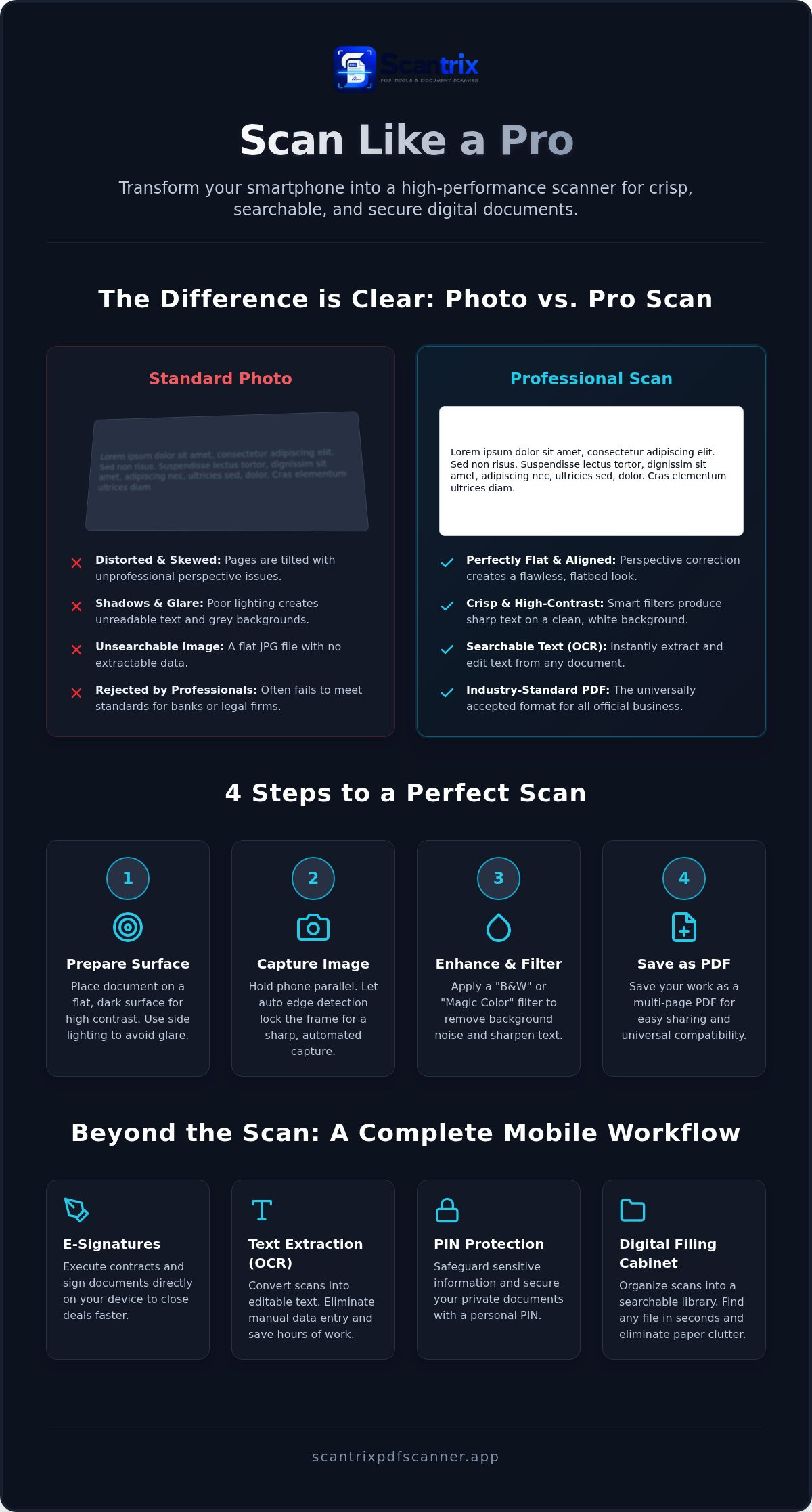
A standard photo is a flat image. A mobile scan is a digital transformation. When you learn how to scan documents without scanner, you move beyond simple photography. Professional applications treat your phone as a sophisticated image scanner. They don't just capture pixels; they interpret data. Software-driven processing enhances legibility by correcting perspective and removing shadows. Standard camera apps fail here. They leave documents tilted, distorted, and grey.
Perspective correction is critical for professional results. Physical pages often curve or sit at angles. Smart apps flatten these distortions instantly to mimic a flatbed scan. They also apply aggressive contrast enhancement. This turns muddy, grey backgrounds into crisp, professional white. The "Photo vs. Scan" test proves the value. Professional recipients, like banks or legal firms, often reject standard JPG photos. They demand the clarity and structure of a processed PDF. A scan ensures your document looks authentic and official.
The Technology Behind Smart Scanning
Precision requires automation. Manual cropping is slow and inaccurate. Mastering how to scan documents without scanner relies on auto edge detection to ensure perfect alignment every time. The software identifies document boundaries against any background. It snaps the frame only when the view is stable and sharp. High-resolution capture preserves fine print and small signatures. It maintains total sharpness even when zoomed for review. This systematic approach guarantees professional-grade output. It's fast. It's reliable. It delivers results without friction.
Step-by-Step: How to Scan Documents Using Your Phone
Efficiency starts with preparation. Place your document on a flat, dark surface. High contrast is mandatory. Avoid direct overhead lights that cause harsh glare; natural side lighting works best. When you master how to scan documents without scanner, you prioritize these factors to ensure a clean base image. Stability is key. Align the edges. Minimize shadows. A steady hand ensures every character remains sharp and legible for future data extraction.
Next, initiate the capture. Open a professional app. Let smart edge detection automate the frame. The software identifies boundaries and snaps the image once focus is locked. This eliminates manual cropping errors. It saves time. After capture, apply professional filters like "B&W" or "Magic Color." These settings remove background noise. They sharpen text to a professional standard. Finally, save the project as a multi-page PDF. This format is the global industry standard for business records. It ensures easy sharing across all platforms and devices.
Achieving Desktop-Quality Captures
Hold your phone parallel to the document. This prevents trapezoidal distortion. It keeps text uniform across the page. If you are handling large reports, utilize batch mode. Capture dozens of pages in one continuous session. Professional credibility requires a clean, unobstructed finish. Learning how to scan documents without scanner means avoiding amateur results. Always remove watermarks to ensure your files look polished and official for business use. Generic apps clutter pages with unwanted branding. Professional tools keep your data clean. Results matter. Quality is non-negotiable. Efficiency is the ultimate goal.
Beyond the Scan: Sign, Extract, and Secure Your Files
Capturing the image is only the first step. True utility lies in what happens next. When you understand how to scan documents without scanner, you unlock the ability to manipulate data. Static images become dynamic assets. Use OCR text extraction to pull information directly from the page. This eliminates manual data entry. It saves hours. You can copy, paste, and edit text instantly. It’s professional. It’s precise. Efficiency is the standard.
Contracts require immediate action. Don't wait for a desktop setup. Execute electronic signatures directly on your Android screen. This streamlines approvals. It closes deals faster. Security must follow every scan. Implement PIN-protected privacy to safeguard sensitive personal data. Your phone becomes a vault. Organize these files into a digital filing cabinet for instant retrieval. Search by keyword. Find documents in seconds. Eliminate physical clutter forever.
The Secure Mobile Workflow
Speed defines the modern office. Transition from capture to signature in under sixty seconds. This rapid progression ensures momentum. Sync your scans to the cloud for cross-device access and redundancy. This prevents data loss. It enables collaboration. Learning how to scan documents without scanner means building a resilient digital system. Capture. Extract. Sign. Secure. The workflow is complete. Efficiency is realized. Results are immediate.
Master Your Digital Workflow Today
Professional scanning is a software-driven transformation. You've learned how to replace bulky hardware with intelligent mobile tools. Standard photos are insufficient for business needs. Precise edge detection and contrast enhancement ensure your files meet global standards. Digital organization is now seamless. Mastering how to scan documents without scanner turns your phone into a high-performance office assistant.
Experience the advantage of automatic edge detection and built-in OCR. Secure your data with PIN-protected privacy. The 100% free Android-optimized experience is ready for your workflow. Download Scantrix PDF Scanner for Android to start your paperless transition. Professional results are one tap away. Efficiency is your new standard.
Frequently Asked Questions
Can I scan documents with my phone for free?
Yes, you can scan documents for free using professional Android applications. Mastering how to scan documents without scanner provides a 100% free experience for capturing, converting, and organizing high-quality PDFs. It eliminates the requirement for expensive hardware. Users access professional tools like automatic edge detection without upfront costs. It is an efficient solution for immediate digital transformation. Results are instant. Productivity increases without financial friction.
How do I scan a document without a scanner or printer?
Use a dedicated mobile application to master how to scan documents without scanner or printer hardware. Place the paper on a flat, high-contrast surface. Open your app and align the frame. The software automates the capture and optimizes the image. This creates a professional-grade PDF ready for digital distribution. It is faster than traditional methods. Efficiency is guaranteed. Manual effort is minimized. Results follow immediately.
Is a phone photo of a document legally acceptable?
Legality depends on the receiving institution’s specific requirements. Most organizations prefer processed PDF scans over standard JPG photos. Professional apps ensure documents are legible, properly aligned, and correctly formatted. This increases the likelihood of acceptance for contracts and official records. Always verify specific requirements with the recipient before submission. Quality ensures compliance. Distortions cause rejection. Professionalism is the priority. Clear data is mandatory.
How can I convert a scanned image to searchable text on Android?
Utilize OCR text extraction technology within your scanning app to unlock data. This feature identifies characters in an image and converts them into editable, searchable text. On Android, Scantrix provides integrated OCR tools for instant text retrieval. You can copy, search, and edit content directly from your phone. It streamlines document management. Data becomes accessible. Manual typing is eliminated. Workflow speed improves. Transformation is complete.


