

Manual retyping is a productivity killer. Speed matters. Accuracy counts. You need a reliable way to convert scanned document to editable text android professionals can use for high-stakes work. With Microsoft Lens officially retiring on February 9, 2026, finding a high-performance replacement is no longer optional. It's a necessity for your mobile office.
We know the struggle of grainy photos and clunky file management. This article promises a complete breakdown of how to transform physical paper into fully editable digital text using professional-grade OCR. You'll learn to capture data with precision, utilize smart edge detection, and secure your files with PIN-protected privacy. We will explore the seamless transition from camera to text, ensuring your workflow remains fast, organized, and secure. Stop typing. Start scanning.
Key Takeaways
- Transform flat images into dynamic data by understanding the technological bridge between paper and digital formats.
- Streamline your workflow with a precise three-step method to convert scanned document to editable text android devices can process instantly.
- Eliminate manual retyping through high-accuracy extraction that preserves layout structures and character integrity.
- Build a secure digital filing cabinet using PIN-protected storage and professional e-signature tools for complete document lifecycle management.
The Power of OCR: Why Your Android Phone is a Text Architect
A standard camera photo is a dead end. It captures pixels, not data. It remains a "flat" image with zero utility for editing or searching. To convert scanned document to editable text android users require a bridge between physical ink and digital strings. This bridge is Optical Character Recognition (OCR). It acts as a sophisticated digital translator. It identifies visual shapes and transforms them into machine-encoded characters. Speed matters. Accuracy counts. Your phone becomes a high-performance tool for information architecture.
Manual data entry is a relic of the past. It consumes hours. It invites error. By 2026, the standard for mobile text extraction has shifted toward instant AI-powered processing. Modern engines don't just read letters; they understand structure. They retain columns, headers, and bullet points. They eliminate the friction between a paper receipt and a digital expense report. You gain immediate access to your data. No retyping. No delays. Just results.
The Anatomy of a Perfect Mobile Scan
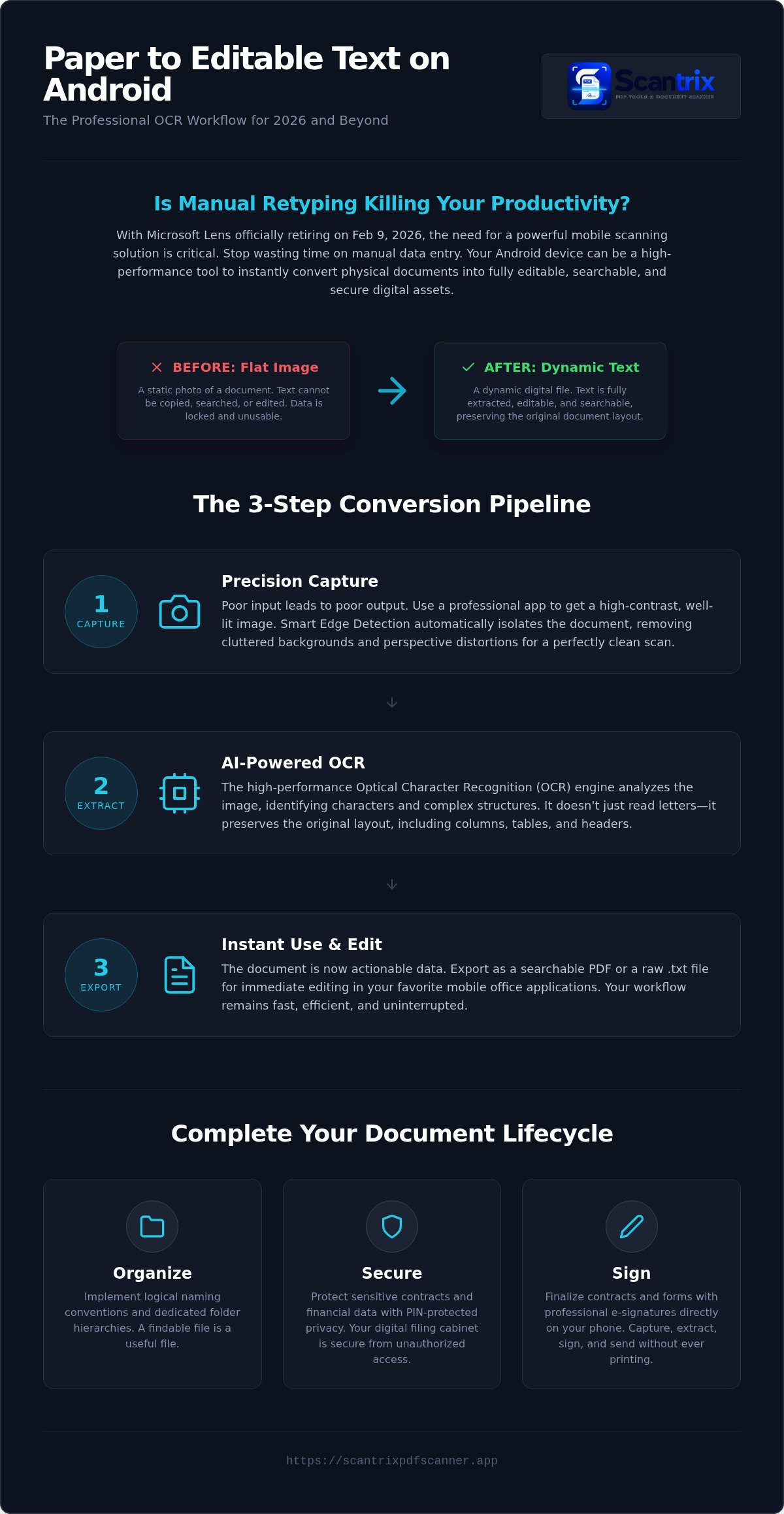
Precision starts at the lens. Poor lighting causes grain. Low resolution blurs fine print. A high-contrast capture is mandatory for professional accuracy. Using an app like Scantrix ensures automatic smart edge detection to isolate the document from the background. This ensures the OCR engine receives a clean, undistorted image. OCR is the systematic conversion of typed or handwritten images into machine-encoded text. This process creates invisible text layers within a PDF. Your document is no longer a static picture. It is a dynamic, searchable asset. Capture the data. Extract the value. Secure the output.
How to Convert Scanned Documents to Editable Text in 3 Steps
Transforming paper into data requires a streamlined pipeline. To convert scanned document to editable text android power users follow three critical stages. First, capture the image. Use a professional utility to ensure high-contrast data. Poor input leads to poor output. Second, extract the content. The app runs a high-performance engine to analyze how OCR works by identifying individual characters and complex layout structures. This goes beyond simple scanning. It maps the document's architecture, preserving columns and tables. Third, export the file. Save the result as a searchable PDF or raw text. This allows for immediate editing in your mobile office apps. For more details on the final stage, see this guide on how to copy text from a scanned document on android. Efficiency is the priority. Speed is the result.
Optimizing Accuracy with Smart Edge Detection
Professional results require professional capture tools. Standard camera apps fail here. They capture cluttered backgrounds and distorted perspectives. Scantrix PDF Scanner solves this with automatic smart edge detection. It eliminates background noise instantly. The "Smart Crop" function focuses strictly on the text. It ignores the desk, the shadows, and the peripheral clutter. This precision ensures the OCR engine receives a perfectly aligned image. You get clean, professional-grade output every time without manual adjustments. It's about working smarter. If you have questions about integrating these tools into your workflow, contact our support team for expert guidance.
Beyond Extraction: Managing and Securing Your Digital Text
Text extraction is only the start. True productivity requires a workflow. Once you convert scanned document to editable text android, tools transform your device. You must organize these files. Rapid retrieval is the goal. A searchable PDF is a powerful asset. It facilitates intelligent document processing. For contracts, the journey concludes with a signature. You can sign pdf documents on phone handsets. No printing needed. Capture. Extract. Sign. Organize. This is the 2026 standard.
Organize your output immediately for maximum utility. Digital files are only useful if they are findable. Your goal to convert scanned document to editable text android should always result in an organized file. Follow these steps for better management:
- Implement logical naming conventions.
- Use dedicated folder hierarchies.
- Review file metadata for searchability.
This systematic approach reduces friction. Your Android device isn't just a scanner. It is a complete document management system. Seamless workflows start with professional capture and end with actionable data.
Protecting Sensitive Data with PIN-Protected Privacy
Protecting digitized data requires high standards. Extracted text is searchable. Machine strings index easily. This makes them a target for unauthorized access. Use an app to lock pdf files on android for legal or financial scans. PIN-protected privacy creates a secure vault. Security is not an afterthought. It is a core component. Protect your data. Control your access. Stay compliant.
Accelerate Your Digital Transformation
Paper is a bottleneck. Digital text is a catalyst. You now have the blueprint to convert scanned document to editable text android devices can process with pinpoint accuracy. High-performance OCR removes the need for manual retyping. Smart edge detection ensures clean captures. PIN-protected privacy keeps your sensitive data secure. It's the modern standard for mobile productivity.
Transitioning from physical paper to professional PDF is seamless. Extract text instantly. Sign contracts on the move. Organize files into a secure digital vault. Your Android device acts as a high-tech architect. It simplifies complex tasks into effortless steps. Professional-grade output is just one scan away. Don't let manual entry slow your progress.
Take control of your document lifecycle. Download Scantrix PDF Scanner for professional OCR and secure document management. This free Android app provides high-performance results for high-stakes work. Start digitizing today.
Frequently Asked Questions
Is there a free app to convert scanned PDF to editable text on Android?
Yes. Scantrix PDF Scanner is a professional utility that provides this functionality for free on Android. It allows users to capture paper documents and convert scanned document to editable text android power users need. The app includes high-performance OCR for rapid extraction. You receive professional-grade results without initial costs. It's a streamlined solution for modern mobile offices.
How accurate is mobile OCR for handwritten notes in 2026?
Accuracy has reached professional standards by 2026. Modern AI engines process complex script with high precision. Lighting and resolution remain critical factors for success. Using smart edge detection helps isolate characters from background noise. While neat handwriting yields the best results, current engines effectively handle most professional notes. This eliminates manual retyping. You gain immediate access to your handwritten data.
Can I convert a scanned image to Word format on my phone?
You can extract text from images to create editable files on your device. Scantrix PDF Scanner captures the image and runs the OCR engine to identify layout structures. The result is a searchable PDF or raw text. You can copy this data into mobile office apps for final formatting. This creates a seamless transition from physical paper to digital states.
What is the best way to secure an editable PDF on Android?
PIN-protected privacy is the most effective security measure for mobile files. Scantrix provides a dedicated secure vault for sensitive scans. This protects legal or financial data from unauthorized access. Editable text is highly searchable and requires device-level protection. Implementing a PIN ensures your digitized filing cabinet remains confidential. Security is a mandatory component of professional document management.


