

Efficiency dies in the gap between scanning an image and signing a PDF. Most professionals waste minutes hopping between three different tools to authorize one contract. You need a dedicated electronic signature app android solution. Stop juggling clunky interfaces. Start closing deals. Speed matters. Security matters more. Your workflow should be a straight line, not a maze of open tabs and exported files.
You know the frustration of fragmented workflows. It's time to demand a professional, streamlined standard. This article teaches you to master mobile document authentication on your own terms. We will cover legally compliant signatures, integrated OCR, and localized PIN security for 2026. Turn your phone into a silent, high-performance assistant. Scan. Sign. Secure. Done. This is the blueprint for a modern, paperless office in your pocket.
Key Takeaways
- Streamline your workflow. Use smart edge detection for high-resolution, professional scans.
- Optimize your device. A dedicated electronic signature app android tool replaces multiple bloated applications.
- Secure sensitive data. PIN-protected privacy locks documents away from vulnerable system galleries.
- Authenticate with confidence. Master a professional capture-to-signature cycle for all 2026 legal requirements.
Why Your Android Device Needs a Dedicated Electronic Signature App
Efficiency drives growth. Your Android device must act as a productivity catalyst. A dedicated electronic signature app android removes operational barriers. Physical paperwork creates friction. It delays signatures. It stalls revenue. Digital authentication eliminates these bottlenecks. Move from physical ink to immediate digital results. Speed is the new currency. Professional results are the standard.
An Electronic signature gives your digital records legal standing. Don't rely on basic image editors or generic apps. Professional-grade output is non-negotiable. It ensures compliance. It projects authority. Scantrix provides the ultimate advantage. It integrates a professional scanner with a precise signer. One interface. Zero friction. Total security. Transform your workflow today.
Beyond Simple Scribbles: The Professional Signature Standard
Scribbling on a screen is not enough. Casual image signatures often look amateur. They lack the clarity required for legal documents. A professional standard demands verifiable digital captures. Your mark must maintain document integrity. Scantrix delivers high-resolution results. It removes the risk of blurry, pixelated overlays. Authentic marking requires precision.
Clean scans create better signatures. Use the Scantrix PDF Scanner for high-resolution capture. It ensures every line is sharp. It guarantees every document is legible. Smart edge detection creates a perfect base for your mark. The e-signature tool then adds your mark with surgical precision. Professionalism is the goal. Scantrix is the tool. Stop hopping between apps. Sign with confidence. Results matter.
How to Sign PDF Documents on Android: A Streamlined Workflow
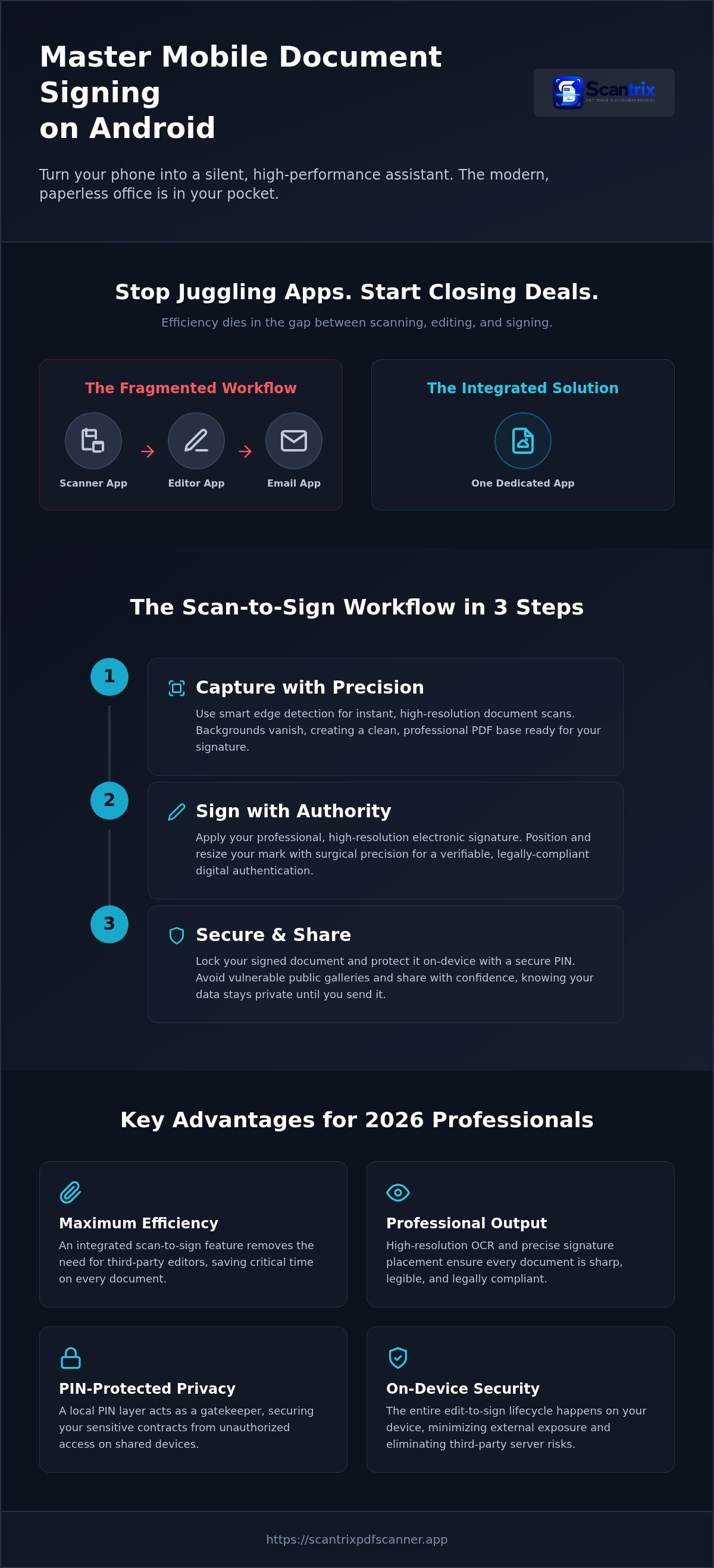
Efficiency defines the Scantrix workflow. Most users struggle with how to sign documents on Android because they use fragmented tools. Scantrix simplifies this into three rapid steps. Capture. Sign. Send. No delays. No bloat. Just results. It turns your phone into a high-performance utility.
Start with the capture. Use smart edge detection to identify borders instantly. Scans are clean. Backgrounds vanish. This creates a professional base for your mark. Next, use the e-signature tool. Place your authenticated mark on the digital page. Resize it. Position it. Finally, convert the edit into a non-editable, professional PDF. This locks the content. It ensures document integrity. This is the premium electronic signature app android experience.
Integrating Scanning and Signing for Maximum Efficiency
Why hop between apps? Scantrix integrates scanning and signing into one fluid motion. This "scan-to-sign" feature removes the need for third-party editors. High-resolution OCR is essential for text-heavy contracts. It extracts data with precision. It ensures accuracy. It transforms physical text into searchable digital assets. Speed is the goal. Productivity is the result.
For a deeper dive, read How to Sign PDF Documents on Your Phone: A Complete 2026 Guide. Efficiency is a choice. Professionalism is a requirement. If you have questions about custom workflows, reach out to our team.
Ensuring Document Security with PIN-Protected E-Signatures
Security is the final pillar. Storing signed legal documents in unprotected galleries is a liability. Public folders invite unauthorized access. Your digital identity requires a fortress. A professional electronic signature app android must prioritize local privacy. Scantrix excels here. It implements a robust Digital Signature Standard framework. It keeps your data off the grid. Your documents remain yours. Privacy is the default setting. Speed never compromises safety.
Scantrix secures the entire edit-to-scan lifecycle on-device. Your files never leave your control until you send them. This localized approach minimizes external exposure. It eliminates the risks associated with third-party servers. Data stays where it belongs. It stays with you. This creates a closed loop of trust. If you have specific enterprise security queries, contact our team for assistance. We provide the technical clarity you need. Professionalism requires protection.
Protecting Your Digital Assets from Unauthorized Access
Local encryption beats vulnerable cloud-only storage. It ensures your assets remain private. A PIN layer prevents accidental data leaks on shared devices. It acts as a final gatekeeper. Your sensitive contracts stay hidden from prying eyes. This is essential for modern professional workflows. You control the access. You own the data. Every scan is a secure asset. This defines the best electronic signature app android utility for 2026.
Reliability is built into every step. Don't let a shared tablet expose your business secrets. Lock the vault. For more details on localized security, read App to Lock PDF Files on Android: The 2026 Security Guide. Secure your future. Lock your files. Stay compliant. Efficiency meets absolute privacy. This is the Scantrix standard.
Modernize Your Professional Workflow
Efficiency defines the 2026 mobile office. You've mastered the transition from physical paper to immediate digital authentication. A dedicated electronic signature app android solution provides the speed your business requires. Automatic edge detection ensures clean, professional scans every time. Professional OCR text extraction preserves document clarity and searchable data. Your digital identity remains safe within a secure PIN-protected document vault. Stop wasting time with fragmented tools or bloated legacy software. Start closing deals faster with a streamlined, one-app solution. Reliability is just a tap away. Transform your Android device into a high-performance assistant today. Take control of your documents. Experience the future of mobile productivity now.
Start signing professional documents today with Scantrix. Secure your results. Achieve professional output now.
Frequently Asked Questions
Is an electronic signature on Android legally binding?
Electronic signatures are legally binding in all 50 U.S. states. The federal ESIGN Act and state-level UETA provide the legal framework for validity. You must demonstrate clear intent and consent for a signature to hold. Scantrix facilitates this process by creating professional, authenticated marks. This ensures your mobile workflow meets 2026 compliance standards for interstate and foreign commerce.
How do I add my signature to a PDF on my phone?
Open your document within a dedicated electronic signature app android like Scantrix. Select the e-signature tool to create or upload your mark. Drag the signature to the correct field. Adjust the size for a professional appearance. Finalize the edit by converting the file into a non-editable PDF format. This streamlined workflow replaces the need for desktop software or physical printers.
Can I scan a paper contract and sign it using the same app?
You can scan and sign using a single professional utility. Scantrix uses smart edge detection to capture high-resolution images of paper contracts. The app converts these captures into PDFs instantly. You then apply your mark using the integrated e-signature tool. This seamless transition from physical to digital states saves time. It eliminates the need for separate scanning and editing applications.
Are free electronic signature apps for Android safe to use?
Security varies between providers. Many free versions lack localized protection, leaving sensitive files in vulnerable system galleries. Scantrix offers PIN-protected privacy to safeguard your digital identity on-device. Professional-grade tools prioritize data isolation and access control. Always choose an electronic signature app android that avoids intrusive ads and utilizes local encryption to prevent accidental data leaks or unauthorized cloud access.


