

Your smartphone is a professional workstation. It shouldn't be limited by clunky web interfaces or risky file uploads. Most professionals waste time waiting for desktop access just to fix a disorganized document. It's inefficient. It's unnecessary. You need a secure, high-performance way to reorder pages in pdf android without sacrificing quality or privacy. Secure files. Precise edits. Immediate results.
Mobile document management often feels like a compromise. It shouldn't. This guide eliminates the friction. You will master mobile organization. You will rearrange pages instantly. We explore the latest utility tools and streamlined workflows for 2026. Expect professional results. Expect total security. By the end, your mobile output will be perfectly ordered and ready for any high-stakes environment. Work faster. Stay organized. Achieve more.
Key Takeaways
- Replace risky web uploads with high-performance local processing for maximum data security.
- Master the precise drag-and-drop gestures needed to reorder pages in pdf android instantly.
- Integrate organization into your scanning workflow to create perfectly structured documents on the move.
- Secure your output with PIN-protected privacy to ensure reorganized files remain strictly confidential.
Why You Need a Professional Mobile PDF Editor on Android
A mobile PDF editor is a high-performance productivity tool engineered for professional document management on the move. It eliminates the need for legacy desktop software. Modern workflows demand speed. Waiting for a PC to fix a document is a liability. Native Android apps process files locally. This ensures immediate results and absolute data privacy. When you need to reorder pages in pdf android, local processing is the only secure choice. It's fast. It's reliable. It works.
Professional utilities like the Scantrix PDF Scanner App bridge the gap between physical and digital states. They combine scanning, editing, and organization in one interface. Capture a contract. Extract text via OCR. Rearrange the layout. This unified approach removes the friction of jumping between separate apps. It streamlines your mobile workflow. You get professional-grade output without the complexity. It's a minimalist solution for high-stakes tasks.
The Limitations of Browser-Based PDF Tools
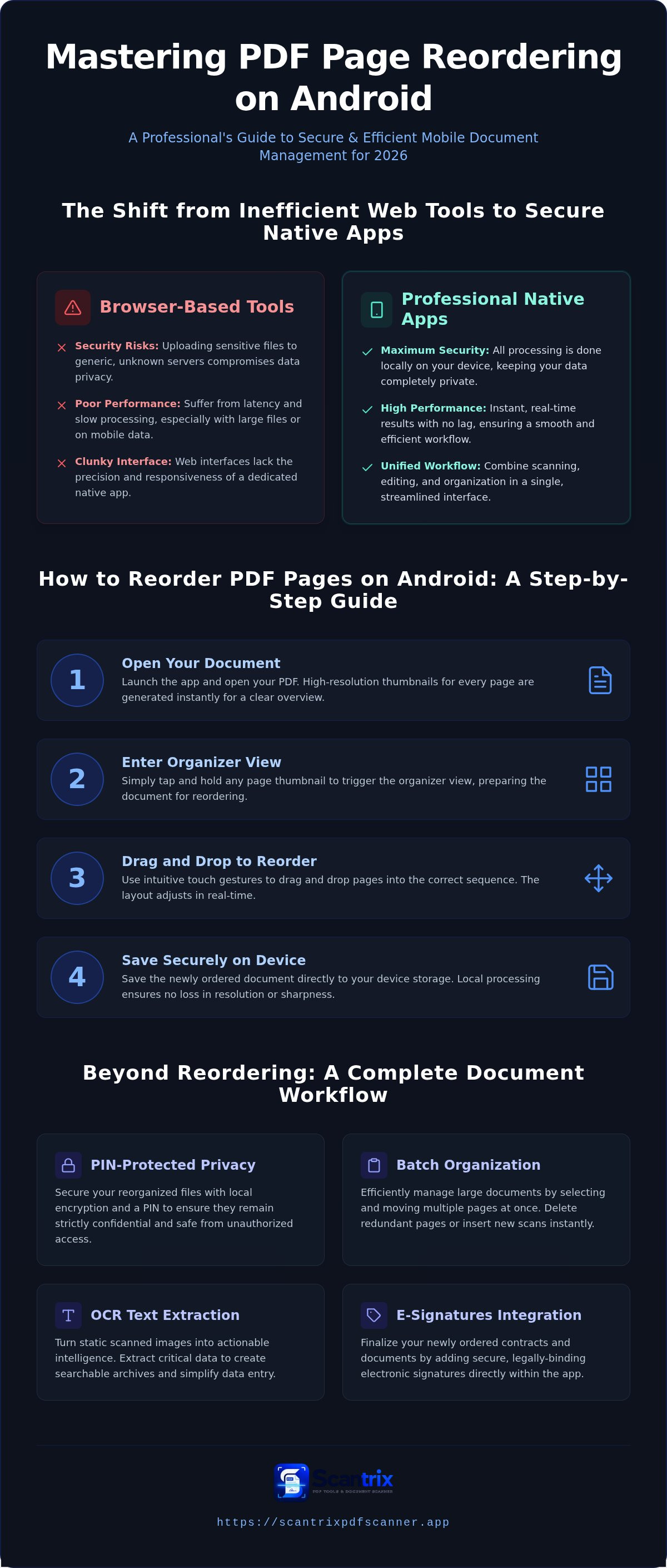
Web-based tools are often a compromise. They struggle with large file sizes on mobile data. Latency ruins efficiency. Browser interfaces lack the staccato rhythm and precision of a dedicated app. They feel clunky. Worse, uploading sensitive documents to generic servers compromises security. Professional standards require better protection. While a list of PDF software shows many options, few offer the security of on-device processing. Scantrix keeps your data off the web. Secure files. Precise edits. Zero risk.
How to Reorder PDF Pages on Android: A Step-by-Step Guide
Launch your chosen application. To reorder pages in pdf android with speed, you need a responsive interface. Open your document within the Scantrix PDF Scanner App. This tool generates high-resolution thumbnails for every page. Tap and hold a thumbnail to trigger the organizer view. Drag the page into the correct sequence using intuitive touch gestures. Release to drop. The layout adjusts in real-time. It's a seamless transition from chaos to order. Save the document to your device storage. Local processing ensures zero loss in image resolution or text sharpness. Your output stays professional-grade and ready for distribution.
Managing Multi-Page Documents Efficiently
Handling complex files requires systematic organization. Don't move single pages in a 50-page report. Select multiple thumbnails to perform batch movements. This efficiency is why Scantrix ranks among the best PDF editor apps for Android. Clean up your file by deleting redundant pages instantly. You can also insert fresh scans directly into the sequence without starting over. This edit-to-scan workflow saves hours of manual labor. Use full-screen previews to verify the logical flow before you hit export. It's about precision. Professional results are mandatory. If you have specific workflow requirements or need to manage high-volume documentation, reach out to our experts for tailored advice. We prioritize your productivity.
Beyond Reordering: Securing and Professionalizing Your PDFs
Reordering is just the start. Professional documents require high-level security. Once you reorder pages in pdf android, you must protect the integrity of the file. Apply PIN-protected privacy. This ensures your reorganized files stay strictly confidential. Many users overlook mobile document management security risks, but a professional utility like Scantrix mitigates these vulnerabilities. Secure your work. Lock the document. Maintain control. Local encryption keeps your data safe from unauthorized access. Immediate execution follows organization. Add electronic signatures to your newly ordered contracts. It's efficient. It's final. Review our guide on how to sign PDF documents on your phone to complete your mobile workflow.
Integrating OCR and E-Signatures into Your Workflow
Digital transformation doesn't stop at page layout. After you reorder pages in pdf android, use OCR text extraction to pull critical data from your reorganized scans. This enables quick data entry and searchable archives. It turns static images into actionable intelligence. For a deeper dive, learn more about securely scanning and signing documents on Android. High-performance tools ensure that the transition from a physical scan to a signed digital contract is seamless. Finalize your document by converting it to a professional, shareable PDF format. No watermarks. No quality loss. Just a perfectly ordered, secure, and signed file ready for instant distribution. Speed meets technical sophistication. Achieve more with less friction. Your Android device is now a complete document architect.
Master Your Mobile Workflow Today
Professional document management on Android is about speed and security. You've learned how to bypass risky web uploads and use local processing to reorder pages in pdf android with precision. Native apps ensure your data stays private while providing the staccato efficiency required for high-stakes tasks. High-performance tools provide smart edge detection for perfect captures and local PIN-protected privacy for sensitive files. Integrated OCR and e-signature tools turn simple scans into finalized contracts instantly. This transition from physical paper to a secure, organized digital file takes seconds. Your smartphone is now a sophisticated digital architect capable of handling any professional demand. It's time to eliminate friction.
Ready to streamline your productivity? Download Scantrix PDF Scanner for Android to experience professional document architecture. Transform your device into a high-speed workstation. Stay organized. Stay secure. Achieve more with every scan.
Frequently Asked Questions
How do I rearrange pages in a PDF for free on Android?
Use high-performance native apps like Scantrix. Many professional utilities offer basic organization features without upfront costs. Open your document. Access the thumbnail view. Drag and drop to reorder pages in pdf android instantly. This approach avoids the limitations of ad-heavy web tools. It's efficient. It's precise. Always verify if the free version adds watermarks before finalizing your professional documents.
Can I reorder PDF pages without an internet connection?
Yes. Professional Android utilities process files locally on your device. Local processing eliminates the need for a stable Wi-Fi or data connection. It's faster. It's more reliable. You can edit, organize, and secure documents in remote locations or during transit. This offline capability ensures your workflow remains uninterrupted regardless of your environment. Download the app once. Work anywhere. Achieve results.
Is it safe to use online tools to reorder sensitive PDF documents?
No. Online tools require you to upload private files to external servers. This creates unnecessary security risks. Professional standards demand local processing. Scantrix uses PIN-protected privacy to keep files strictly on your device. Avoid generic web interfaces for contracts or financial records. Protect your data. Use a native app. Local encryption is the only way to ensure total confidentiality.
How do I move multiple pages at once in an Android PDF editor?
Enter the page organizer mode within the app interface. Long-press on a thumbnail to enable multi-select functionality. Choose all the pages you need to shift. Drag the entire batch to the new position. This feature is essential for long reports. It saves time. It prevents errors. To reorder pages in pdf android efficiently, always utilize batch movement capabilities in your editor.


