

The desktop flatbed scanner is officially obsolete. For a modern legal practice, mobility is a requirement. You need high-fidelity PDF captures that stand up in court. You demand ironclad security for sensitive client data. Finding the best document scanner for lawyers android means balancing rapid capture with professional-grade output.
We know the frustration of unreadable text and the risk of unencrypted cloud storage. It's a waste of billable hours. Precision is non-negotiable. This reference reveals how to transform your Android device into a secure, legal-grade workstation with OCR and e-signature capabilities. We evaluate the leading 2026 utilities, focusing on on-device processing and AI-powered precision. Learn to capture searchable text, apply legally binding signatures, and maintain PIN-protected privacy on the move. Your phone becomes a high-performance assistant.
Key Takeaways
- Capture high-contrast PDFs with smart edge detection. Ensure every page is court-ready and perfectly cropped.
- Transform physical evidence into searchable digital text. Accelerate case discovery using integrated OCR tools.
- Secure sensitive client data with PIN-protected privacy layers. Maintain confidentiality through on-device processing.
- Select the best document scanner for lawyers android to streamline contract management. Execute legally binding signatures on the fly.
What Defines the Best Document Scanner for Lawyers on Android?
Legal documentation demands absolute precision. A blurred clause or a cut-off signature renders a digital scan useless in a courtroom. The best document scanner for lawyers android must deliver legal-grade output instantly. This means high-contrast captures free from shadows, flares, or lens distortion. Court filings require absolute legibility for every character and comma.
Efficiency drives the modern firm. You require versatile export options. High-resolution PDFs are the industry standard. Standardized JPGs offer flexibility for evidence logs. Professionalism remains paramount. Scans must be clean and unadorned. Avoid generic apps that insert distracting watermarks. These elements undermine the integrity of your professional work product. Adopting a streamlined edit-to-scan workflow saves significant billable hours during high-volume discovery.
Security is the baseline. Protecting client data requires a deep understanding of mobile device security and local data protection. Scantrix PDF Scanner addresses this with integrated PIN-protected privacy. It ensures sensitive case files stay locked behind a secure layer. Professional tools must work offline to maintain total control over data transit.
The Role of Smart Edge Detection in Legal Documentation
Smart edge detection is a non-negotiable feature. It identifies document boundaries in milliseconds. This technology prevents the distorted or skewed text common with manual cropping. For complex contracts with small-print clauses, precise borders are vital. Scantrix uses automatic edge detection to ensure clean crops every time.
- Eliminate perspective distortion instantly.
- Capture fine-print details accurately.
- Automate the capture workflow.
- Ensure zero text loss on margins.
Clean crops mean clean records. No text is lost. No margins are wasted. This level of technical sophistication transforms a standard smartphone into a professional-grade workstation.
Essential Features for Legal Discovery and Contract Management
Speed defines success. The best document scanner for lawyers android must organize data. High-volume discovery requires robust multi-page handling. Digitize thick depositions. Process hundred-page briefs. No lag. No errors. This capability reduces overhead at the source. Focus on the case. Forget the hardware. Batch scanning allows for rapid ingestion of large files. Organize documents into folders. Rename files on the fly. This systematic approach ensures logical workflows. It keeps your digital files organized. It makes them accessible anywhere.
Searchable OCR transforms evidence into digital assets. It's a discovery tool. Find key phrases instantly. This functionality is a cornerstone of any modern legal document management system. Digital searches replace manual page-turning. Results are immediate. Your workflow becomes mobile. Efficiency is the result. Precision follows. In 2026, OCR preserves formatting. It recognizes tables. It handles handwriting on margins. Your digital copy mirrors the original.
Integrating OCR and E-Signatures into Your Legal Workflow
Precision is the priority. Professional OCR text extraction allows for rapid copying of case citations. Eliminate retyping errors. Save billable hours. Contracts move faster. Integrated tools enable remote closings with legally binding e-signature apps for Android. Scan. Sign. Send. Use one unified workflow. It's seamless. It's secure. It's the professional standard for 2026.
Efficiency starts with tools. If you're ready to optimize your firm's mobile productivity, connect with our support experts today. Build a high-performance digital workstation now.
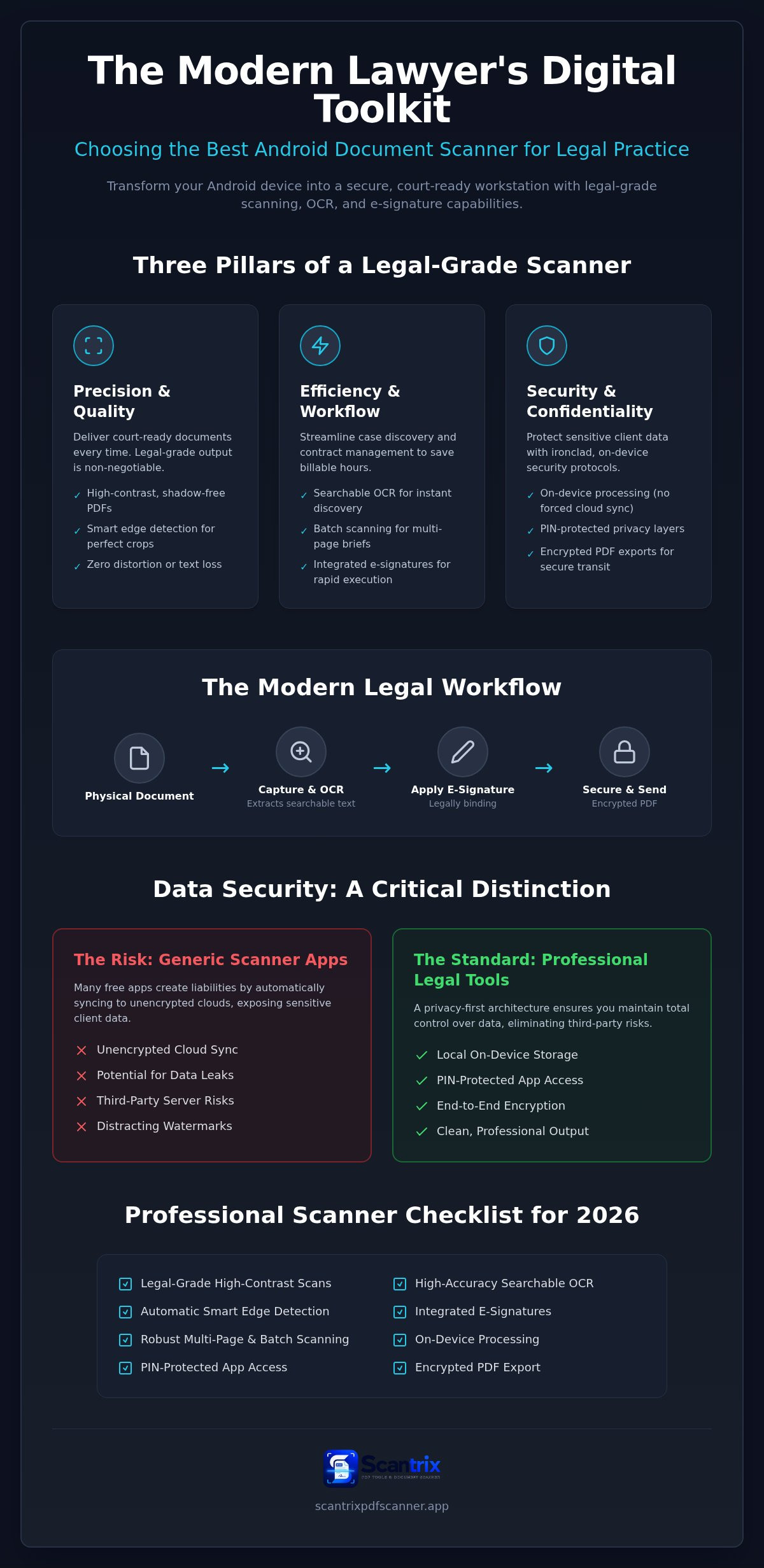
Maintaining Confidentiality: Security and Privacy Standards
Privilege is absolute. Digital workflows must mirror this standard. The best document scanner for lawyers android provides ironclad protection. Many generic apps leak data. They sync to unencrypted clouds automatically. This is a liability. Avoid public folders. Keep sensitive scans on-device. Local storage ensures total control. It eliminates third-party risks. Scantrix prioritizes this privacy-first architecture. It keeps your files off foreign servers. You own the data. You control the access. It's the professional way to handle discovery.
Encryption is vital. Exported PDFs must be shielded. Protect files during transit to clients. Secure the court filing process. High-fidelity capture means nothing if data is intercepted. Use professional tools that encrypt at rest and in motion. It's the only way to maintain compliance in 2026. This level of technical sophistication is mandatory for modern practice. It prevents unauthorized eyes from viewing sensitive materials. Security is a requirement, not a feature.
Securing Sensitive Files with PIN Protection
Standard phone galleries are insecure. Anyone with your passcode sees your files. PIN-protected privacy creates a secure vault. It isolates case documents from personal photos. Learn more about securely scanning and signing documents on Android to prevent breaches. This layer of security is essential for high-stakes litigation. It ensures that even if a device is lost, the files remain inaccessible.
Follow this protocol for storing sensitive documents safely on your phone:
- Enable biometric or PIN locks within the app.
- Disable auto-sync to public clouds or social media.
- Wipe temporary cache files after exporting.
- Use encrypted PDF formats for all client communications.
This systematic approach ensures confidentiality. It protects your reputation. It secures your client's future. Efficiency and security are now inseparable. Build a fortress for your data.
Modernize Your Firm with Professional Mobile Scanning
Efficiency is the benchmark of the modern legal practice. You've seen how precise edge detection and searchable OCR transform physical documents into searchable digital assets. Security remains the non-negotiable foundation. PIN-protected privacy ensures your sensitive case files remain shielded from unauthorized access. Adopting the best document scanner for lawyers android is no longer optional. It's a requirement for staying competitive in 2026. Transitioning to a mobile-first workflow saves billable hours and secures client data instantly. Professional results are now achievable from anywhere.
Take the next step in digital transformation. Experience the power of Smart Edge Detection and Professional OCR Text Extraction today. Download Scantrix PDF Scanner for Android to streamline your contract management. Build a high-performance, secure digital workstation that travels with you. Success begins with the right tools.
Frequently Asked Questions
Is it legal to scan court documents with an Android phone?
Yes. Digital copies are widely accepted in most jurisdictions provided they meet clarity and integrity standards. Most modern courts permit digital filings. The key is ensuring the scan remains a true and correct copy of the original. Smart edge detection helps maintain this integrity by preventing distorted text. Always verify specific local court rules regarding metadata and digital evidence preservation.
How do I ensure my mobile scans are high enough quality for legal use?
High-quality scans require optimal lighting and software precision. Place documents on a flat, contrasting surface. Use an app with automatic edge detection and shadow removal. The best document scanner for lawyers android will produce high-contrast PDFs. This ensures every character is legible for court submission and OCR. Avoid generic filters that might obscure fine-print clauses or signatures.
What is the best way to password protect a PDF on Android?
PIN-protected privacy is the most efficient method for securing legal files. Professional apps allow you to lock documents behind a secure layer directly on your device. This prevents unauthorized access if your phone is lost. Use AES-256 encryption for all exported files. This standard protects sensitive client data during transit to opposing counsel. Secure your workstation at the source.
Can I extract text from a scanned legal document for editing?
Yes. Professional-grade OCR text extraction allows for instant conversion. This feature identifies characters within a PDF and transforms them into editable text. It's essential for copying case citations or drafting motions from physical evidence. The best document scanner for lawyers android will preserve the original layout while making the text searchable. This eliminates the need for manual retyping and saves billable hours.


