

Why does a simple document scan require a mandatory cloud login and a monthly fee? Professional scanning should be a tool, not a subscription trap. You need to capture a document and move on. Instead, you're stuck waiting for slow app launches and dodging aggressive upgrade prompts. It's frustrating. It's unnecessary. You want results, not a login screen.
You deserve a reliable adobe scan alternative android that respects your privacy and your schedule. Discover why Scantrix is the leading choice for users seeking speed, local storage, and professional-grade OCR. This guide breaks down the best professional options in 2026. We'll examine the latest market shifts, including the retirement of legacy apps and the rise of streamlined utilities. Learn how to achieve instant results and secure your data without the corporate bloat or mandatory cloud dependencies. Reclaim your digital workflow with tools built for performance and precision.
Key Takeaways
- Eliminate workflow friction. Understand why mandatory cloud syncing hinders immediate professional productivity.
- Prioritize local processing. Seek high-performance edge detection and on-device OCR to keep data secure.
- Switch to Scantrix. Discover the leading adobe scan alternative android built for speed and no-login access.
- Produce professional results. Master e-signature tools and PIN-protected storage for a streamlined digital office.
Why Seek an Adobe Scan Alternative for Android?
Adobe Scan dominates the market. It's powerful. It's also heavy with corporate baggage. Every scan requires a gateway. You want a file; Adobe wants a login. This friction kills productivity. Professionals seeking an adobe scan alternative android need speed. They need tools, not ecosystems. When you're in the field, you can't afford a software gatekeeper. Speed is the only metric that matters.
Mandatory cloud syncing creates significant bottlenecks. It slows the immediate scan-to-send workflow. You wait for uploads. You wait for processing. You wait for sync confirmation. Frequent subscription prompts interrupt professional tasks and decrease user productivity. These traps prioritize corporate revenue over your results. Efficiency requires a direct path from capture to export. If an app forces a cloud detour, it isn't built for high-performance work.
The Problem with Ecosystem Lock-in
Mandatory accounts create unnecessary friction for simple tasks. One-off scanning shouldn't require a permanent digital identity or a password reset. Privacy is the ultimate concern. Forced cloud uploads for sensitive legal or financial documents introduce external risks. You lose control of your data the moment it leaves your local storage. Modern Optical Character Recognition (OCR) allows for high-performance, local text extraction. This keeps your intelligence on your device. It's safer. It's faster. It's professional.
Choosing a streamlined utility like Scantrix PDF Scanner eliminates these hurdles. Capture the document. Detect the edges. Save the file locally. No logins. No delays. No compromises. This is the "edit-to-scan" workflow professionals actually need in 2026. Stop fighting the software and start finishing the job.
Evaluating the Best Scanner Alternatives in 2026
Selecting the right adobe scan alternative android requires a focus on technical precision. Start with edge detection. You shouldn't waste time with manual cropping. High-performance algorithms identify document borders instantly. They correct perspective automatically. This ensures a professional PDF every time. Speed matters. Results matter. If the app fumbles the initial capture, it fails the professional test.
Data security is the next priority. Many tools featured in best mobile scanning and OCR software reviews rely on external cloud servers. This exposes sensitive information to unnecessary risks. Prioritize apps with local OCR processing. This keeps your data on your hardware. It works offline. It delivers results faster. Contracts also require quick signatures. Assess the e-signature workflow carefully. You should finalize agreements in seconds without leaving the interface.
Key Features for Professional Mobile Scanning
OCR accuracy is non-negotiable. The software must perform across varying lighting conditions and complex document types. Check for multi-page scanning capabilities. Digitizing long reports should be a continuous, fluid process. It shouldn't feel like a chore. If you need a deep dive into text extraction, learn how to copy text from a scanned document on android. High-quality output defines professional standards. Don't settle for blurry text or misaligned edges. Efficient tools create efficient businesses. If you have specific enterprise workflow needs, reach out to our experts for professional guidance. Precision is the goal. Speed is the result.
Scantrix: The Professional Alternative Built for Speed
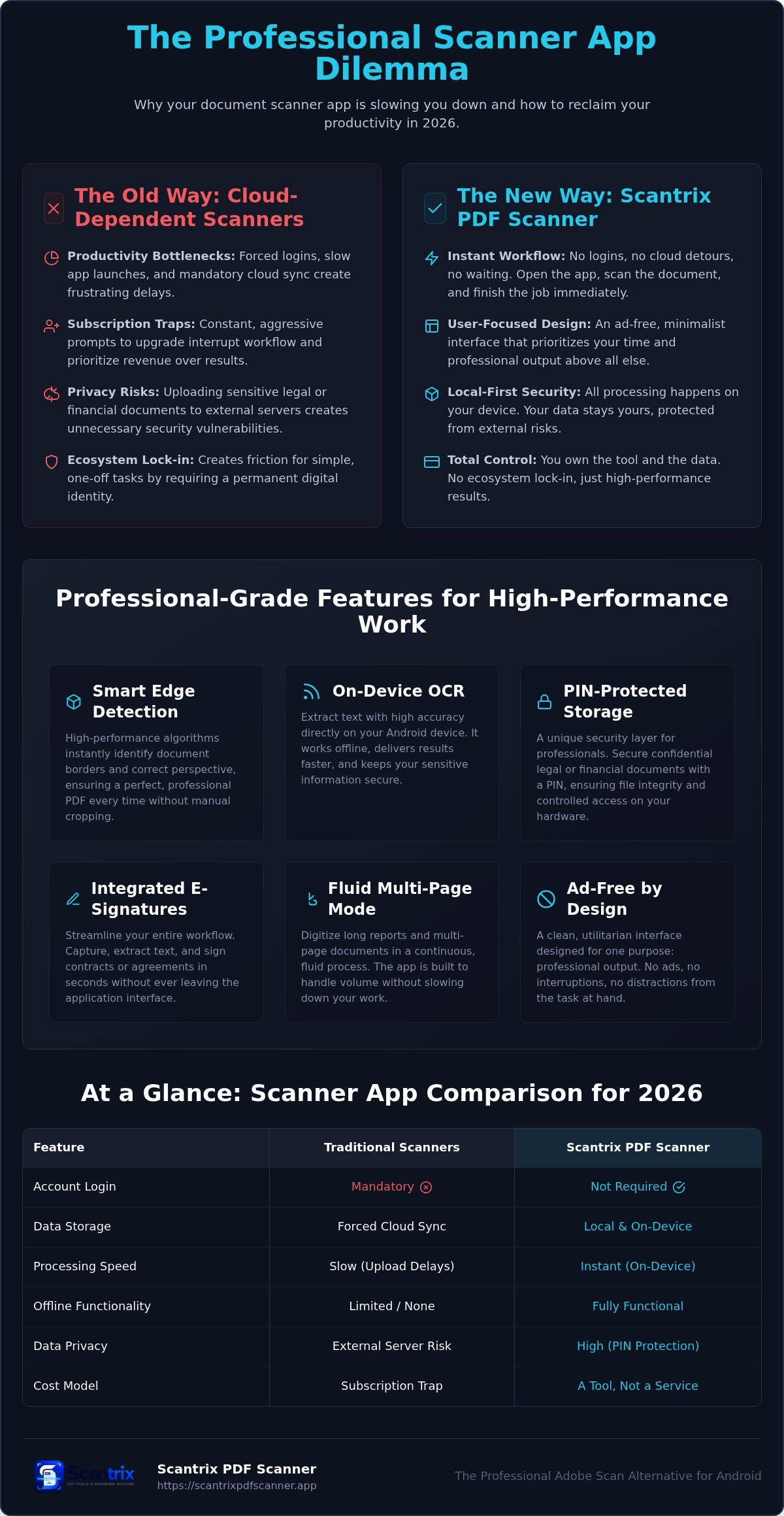
Scantrix PDF Scanner redefines efficiency. It delivers a staccato-fast, professional workflow. No mandatory logins. No cloud detours. No waiting. You open the app. You scan. You finish. This is the definitive adobe scan alternative android users need for rapid, high-stakes results. Smart edge detection ensures perfect captures instantly. It rivals desktop-grade hardware through intelligent perspective correction. It identifies borders. It crops. It cleans. You get professional output in one tap.
Security remains a critical differentiator in 2026. Unlike corporate competitors that force sync, Scantrix prioritizes your local hardware. Unique PIN-protected privacy secures sensitive legal or financial documents directly on your Android device. Your data stays yours. This approach aligns with strict best practices for Digitizing Records by ensuring file integrity and strictly controlled access. It's the secure choice for professionals handling confidential intelligence.
Transforming Your Android Into a High-Performance Assistant
The interface is minimalist and utilitarian. It's ad-free. It prioritizes your time and professional output above all else. Experience the seamless integration of high-accuracy OCR and professional e-signature tools. You can capture, extract text, and sign contracts in a single fluid session. This "edit-to-scan" logic eliminates unnecessary app-switching. It maximizes your productivity. It minimizes friction. Ready to upgrade your mobile office? Download the Scantrix PDF Scanner App today. Experience the power of a dedicated digital architect that lives in your pocket.
Streamline Your Digital Workflow Today
Professional productivity demands a friction-free environment. You've identified the bottleneck. Mandatory cloud logins and constant subscription prompts hinder your output. Choosing a dedicated adobe scan alternative android restores your focus. Local processing ensures your data remains secure. It works offline. It works instantly.
Scantrix provides the high-performance toolkit you need for a modern mobile office. Benefit from ad-free scanning. Utilize on-device OCR for precise text extraction. Secure your sensitive documents with PIN-protected folders. You deserve a tool that respects your time and your privacy. Transition to a faster, more reliable digital architect today.
Download Scantrix PDF Scanner for Android and reclaim your professional efficiency. Your workflow is about to get much faster.
Frequently Asked Questions
Is there a free alternative to Adobe Scan for Android?
Yes, Scantrix is a high-performance adobe scan alternative android utility available for free on Google Play. It turns your smartphone into a professional document scanner instantly. You can capture, convert, and organize PDFs without upfront costs. While premium tiers offer advanced features like unlimited OCR, the core scanning functionality remains accessible for every professional user.
Does Scantrix require an account to scan documents?
Scantrix does not require a mandatory account or cloud login to function. You launch the app and scan immediately. This eliminates the corporate friction of password resets and forced data syncing. Your documents stay on your local hardware. It's a direct, no-nonsense workflow designed for users who value speed and data autonomy above all else.
How does Scantrix handle OCR compared to Adobe Scan?
Scantrix performs OCR text extraction directly on your Android hardware. Most corporate scanners rely on cloud-based processing, which introduces privacy risks and latency. Scantrix keeps your data local. It ensures rapid, secure text conversion even without an internet connection. This high-tech approach delivers professional-grade accuracy while maintaining strict control over your sensitive information.
Can I sign documents within the Scantrix app?
Yes, the integrated e-signature tool allows you to sign documents within the app. You capture the file, detect the edges, and apply a professional signature in one session. This seamless transition from physical to digital states saves time. It eliminates the need for printing or external editors. Your contracts are finalized and ready for export in seconds.


