

Your Android phone is no longer just a communication device; it's a high-performance document architect that renders desktop scanners obsolete. You likely recognize the frustration of blurry edges and static images that refuse to be modified. It's time to stop settling for unreadable captures. This guide shows you how to scan and edit pdf android files with precision, moving beyond simple photos to professional-grade results.
You'll master the complete mobile document lifecycle from high-resolution capture to professional editing using Scantrix PDF Scanner. We've optimized this 2026 workflow to prioritize speed and security. Learn to utilize smart edge detection. Execute accurate OCR text extraction. Secure sensitive data with PIN-protected storage. This guide transforms your device into a silent, high-performance assistant. It simplifies complex paperwork into effortless digital steps. Transition from physical to digital states with total confidence and zero friction.
Key Takeaways
- Master the professional way to scan and edit pdf android files. Eliminate manual cropping with smart edge detection for high-resolution results.
- Convert static images into searchable assets. Utilize OCR text extraction for immediate editing and text manipulation on your mobile device.
- Finalize contracts on the move. Insert professional electronic signatures to bypass desktop requirements and complete the document lifecycle instantly.
- Shield sensitive documents with PIN-protected privacy. Organize files with professional naming conventions for rapid retrieval and secure storage.
How to Scan Documents on Android with Professional Precision
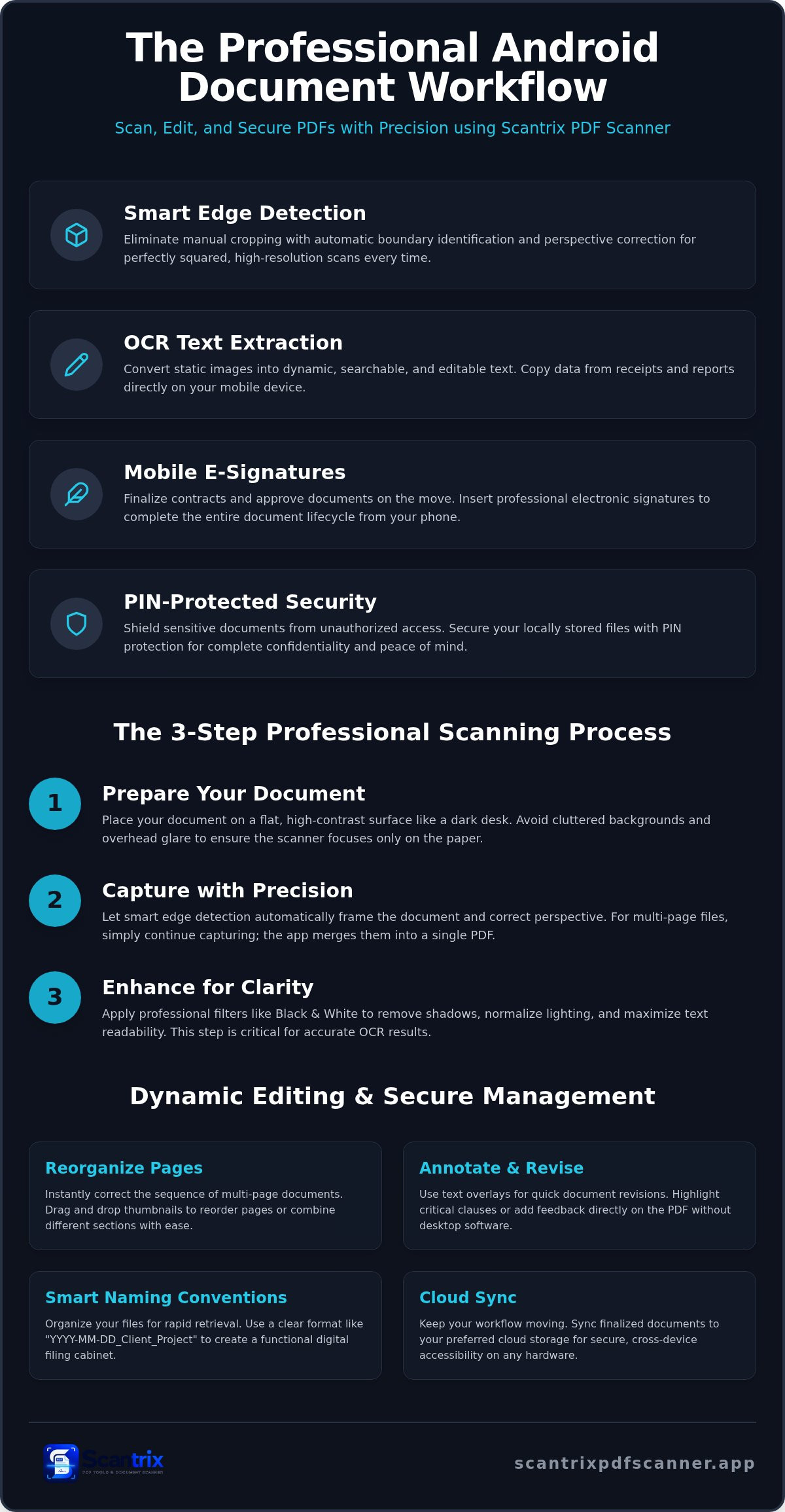
Place your document on a flat, high-contrast surface. A dark desk or solid background works best. This contrast allows Scantrix PDF Scanner to distinguish between paper and surroundings instantly. It's the foundation of a clean scan. Avoid cluttered environments that confuse the sensor. Clear space ensures the software focuses exclusively on your paperwork. This initial setup is the first step to scan and edit pdf android files with professional accuracy.
Forget manual cropping. Scantrix PDF Scanner employs automatic edge detection to identify document boundaries. It corrects perspective distortion in real-time. This ensures your final file looks like a flat scan, not a tilted photograph. For multi-page projects, simply continue capturing. The app merges every page into one organized PDF file. This streamlined approach makes it easy to manage large contracts without a desktop computer.
Apply professional filters to maximize text readability. These algorithms strip away shadows and normalize background lighting. This process is critical for accurate Optical Character Recognition (OCR). High-contrast, clean images allow the engine to identify characters with precision. Black and white modes eliminate ink bleed. Your digital files remain sharp, professional, and ready for modification.
Achieving Desktop-Quality Captures on Mobile
Professional framing requires stable lighting. Avoid overhead glare by angling the phone slightly or using indirect natural light. Steady hands produce sharp text. Smart edge detection handles the alignment, but your environment dictates the raw quality. If you require more technical depth, consult the Smart Scanning pillar for advanced framing techniques. These steps ensure your mobile captures match the quality of dedicated hardware scanners. It's the most efficient way to scan and edit pdf android documents in 2026.
Editing and Annotating Scanned PDFs Without Desktop Software
Scanning is only the first phase of the mobile document lifecycle. True productivity requires the ability to scan and edit pdf android files without returning to a workstation. Static images often hinder progress. Modern workflows demand dynamic interaction. Scantrix PDF Scanner bridges this gap by providing a suite of professional-grade editing tools directly on your device. It's the end of "read-only" limitations on mobile. You control the data; the device facilitates the result.
Maintain logical flow by reorganizing pages within the app. Drag and drop thumbnails to correct sequence errors or combine sections from different sources instantly. Use text overlays for rapid document revisions. Annotate specific sections to provide feedback or highlight critical clauses. These tools ensure that your digital files are as flexible as their paper counterparts. They eliminate the need for cumbersome desktop software and redundant file transfers. Speed meets precision in every edit.
Transforming Static Scans into Dynamic Documents
Convert static images into searchable, actionable text using Scantrix PDF Scanner's OCR extraction. This process identifies characters in complex receipts or financial reports, making data entry effortless. Learn more about how to copy text from a scanned document to streamline your data management. It's a high-performance solution for professionals who value time. Accuracy remains the priority for every conversion. Extract data. Refine content. Move forward.
Finalize mobile contracts using the integrated e-signature tool. Insert professional signatures for secure, on-the-go approvals. This feature transforms your phone into a portable closing room. It's a seamless transition from a physical state to a digital verification. If you encounter complex layouts during your workflow, reach out to our support team for optimization advice. We ensure your digital architect remains reliable and efficient.
Managing and Securing Your Digital Document Workflow
Security defines professional document management. It's not an optional step. Once you scan and edit pdf android files, protecting that data becomes the primary goal. Scantrix integrates PIN-protected privacy to shield sensitive legal paperwork. It prevents unauthorized access to your local storage. High-performance security ensures confidentiality remains intact throughout the 2026 workflow. Secure data. Protect assets. Maintain control.
Organization accelerates retrieval. Implement professional naming conventions immediately after capture. Use a "YYYY-MM-DD_Client_Project" format for clarity. This systematic approach transforms a chaotic file list into a functional digital filing cabinet. Sync finalized documents to cloud storage for cross-device accessibility. It ensures your workflow continues on any hardware without friction. Cross-platform availability is essential for modern professionals who demand results on the move.
Data integrity relies on secure distribution. Share finalized PDFs via encrypted channels only. This prevents interception during transit. Reliability is non-negotiable for high-grade professional output when you scan and edit pdf android files. Your device acts as a secure vault. It manages the entire lifecycle from capture to delivery. Finalize the process with a secure upload. Move fast. Stay secure.
Professional Security and Organization Standards
Mobile devices are vulnerable to physical theft or unauthorized viewing. PIN-protection is a necessity for professional storage. It creates a secondary barrier for your most sensitive assets. For a deeper look at these protocols, read our guide on the app to lock PDF files on Android. Establish a systematic filing cabinet within the app using these steps:
- Assign clear tags to every digital document.
- Create folders based on client name or fiscal year.
- Use consistent date-first naming conventions for rapid sorting.
This logical organization saves hours of manual searching. Efficiency is the direct result of structured security and disciplined management. Structure your data. Optimize your time. Eliminate search friction.
Elevate Your Mobile Document Workflow
Your Android device is now a professional-grade document hub. You possess the tools to transform physical paperwork into secure, editable assets instantly. Mastering the ability to scan and edit pdf android files ensures your productivity remains uncompromised by location. Precision starts with automatic edge detection. It continues through free professional OCR. It concludes with secure PIN protection. This systematic approach eliminates technical friction. It allows you to focus on high-impact results. Secure data. Protect assets. Maintain control.
Take the final step toward a streamlined digital office. You're now equipped to manage the entire document lifecycle with technical sophistication. Experience the speed of a silent, high-performance assistant. Download Scantrix PDF Scanner for Android to start your professional workflow today. Your most efficient digital future begins now.
Frequently Asked Questions
Can I edit the actual text of a scanned PDF on Android?
You can edit scanned text by utilizing OCR Text Extraction within the Scantrix app. This technology identifies characters in a static image and converts them into searchable, editable data. It eliminates the need to retype reports or receipts manually. Once extracted, you can modify the content directly on your device. This process is essential to scan and edit pdf android files with professional speed.
Is it safe to scan sensitive documents like IDs or contracts on my phone?
Security is a core component of the Scantrix professional workflow. You can shield sensitive legal documents and IDs using PIN-protected privacy. This feature ensures that your digital vault remains inaccessible to unauthorized users even if your device is compromised. Local encryption maintains data integrity without relying on external servers. It's a reliable solution for managing high-stakes paperwork on the move.
How do I remove the background or shadows from a scanned document?
Eliminate shadows by positioning your document on a high-contrast background under indirect light. Scantrix uses smart edge detection to isolate the page and apply professional filters automatically. These algorithms normalize lighting and strip away background noise to enhance text readability. The result is a clean, black-and-white or color-optimized file that looks like a high-resolution desktop scan.
What is the best way to sign a scanned PDF on Android?
The most efficient method involves using the integrated E-Signature tool. You can create and save a professional signature to finalize contracts or approvals instantly. Simply select the signature tool, place your mark, and save the file. It's the final step to scan and edit pdf android documents professionally. This completes the document lifecycle without requiring desktop software or physical printing.


